How to Track Prospect Content Intent (And Actually Use It to Close Deals)
You sent over a proposal deck, a case study, and a pricing overview three days ago. The prospect has not replied. You have no idea whether they opened it, whether the CFO even saw it, or whether it is sitting unread in their inbox. So you send the usual "just checking in" email. It achieves nothing.
Sales teams lose deals not because they sent the wrong content, but because they acted on guesswork instead of signal. Knowing how to track prospect content intent changes that. This guide covers what prospect content intent actually is, what signals matter, how to set up a system to track them, and how to act on what you find. This is for sales reps, sales managers, and revenue teams who want a practical process, not a theory lecture.
The foundation of all of this is content tracking: knowing what happens to your content after it leaves your hands. Once you have that, everything else follows.
What Is Prospect Content Intent?
Tracking prospect content intent means monitoring how a potential buyer interacts with the content you share with them: which pages they read, how long they spent, what they forwarded to colleagues, and how their attention shifted across multiple assets over time. These signals reveal purchase readiness without the prospect saying a word.
the specific content a sales rep shares with them. Unlike third-party intent data (which tracks anonymous browsing across thousands of B2B sites), first-party content intent shows you how an individual prospect engaged with a specific deck, whitepaper, or proposal you personally sent. The depth of that engagement, time spent per slide, return visits, and internal sharing, reveals exactly where they are in their decision cycle.
Most people conflate "intent data" with third-party tools that flag accounts researching your category across the web. Those tools are useful. But they operate at the account level and go dark the moment you share content with a specific person. What happens after you hit send is a different and richer data layer entirely.
The distinctions worth understanding:
- An open tells you the email arrived and the pixel fired. Nothing more.
- Time-on-page tells you how long someone spent with a section of your document.
- Page-by-page engagement tells you which slides they read and which ones they skipped.
- Return visits tell you they came back, often because they are re-evaluating or sharing internally.
- Internal forwarding tells you new stakeholders have entered the conversation.
The difference between knowing a door opened and knowing who walked through, where they went, and how long they stayed, is the difference between a "checking in" follow-up and a conversation that actually lands. What that looks like in a platform is captured in the most important types of sales enablement content and the analytics layer that surrounds them
Why Most Sales Teams Miss Intent Signals Entirely
Here is a familiar situation. You send a prospect three files as email attachments. Your email client records an open. The prospect goes quiet for a week. You have a one-bit signal (opened, or not opened) and no idea what to do with it.
How do you know if a prospect is actually interested? Most reps answer that question with gut feel. They guess based on tone in the last call, or they wait until the prospect raises their hand. Both approaches miss the window.
Email open tracking, in HubSpot, Outreach, Salesloft, or any other tool, gives you a binary: yes or no. It does not tell you:
- Whether the prospect clicked into the attachment at all
- Whether they read slide seven (pricing) twice and slide three (features) not at all
- Whether they forwarded it to their legal team
- Whether they came back three days later to look at it again
Buyers complete around 83% of their purchase journey before they want to talk to a sales rep. By the time a prospect responds to your follow-up email, they have already formed most of their opinion about your product. The window to influence that journey is in the content they consume before they raise their hand.
Generic "checking in" emails are a symptom of the data problem. When reps have no content-level signal, they follow up on gut feel. That feels intrusive to the buyer and unproductive for the rep. Signal-based follow-up is the opposite: specific, relevant, and timed to the moment the prospect is actively thinking about you.
The solution is not more intent data tools piled on top of each other. It is knowing exactly what your specific prospect did with the specific content you already sent them. Understanding that starts with rethinking what
what sales enablement actually means at the deal level, not just the organizational level.
The Three Types of Content Intent Signals Worth Tracking
Not all intent signals are the same. Three distinct types are worth building into your process, each useful at different stages of the deal.
First-Party Signals: What Happens After You Share
First-party signals are the highest-confidence signals available to you, because the prospect already knows you exist and is actively engaging with your material. What to track:
- Time spent per page or slide: A prospect who spends four minutes on your pricing slide is in a different mindset than one who spent four seconds.
- Return visits: A prospect who comes back to a document two days after the initial share is signaling re-evaluation, likely sharing internally or going back to validate something.
- Pages lingered on: Pricing, implementation, and comparison sections are the strongest intent markers. If those pages are getting time, the prospect is seriously evaluating.
- Internal forwarding: When the CFO, IT lead, or legal team suddenly appears in your engagement log, the buying committee is forming. This is one of the most valuable signals you can receive.
- Video completion rate: If you shared a product walkthrough video, did they watch 80% or 15%? The two situations call for completely different follow-ups.
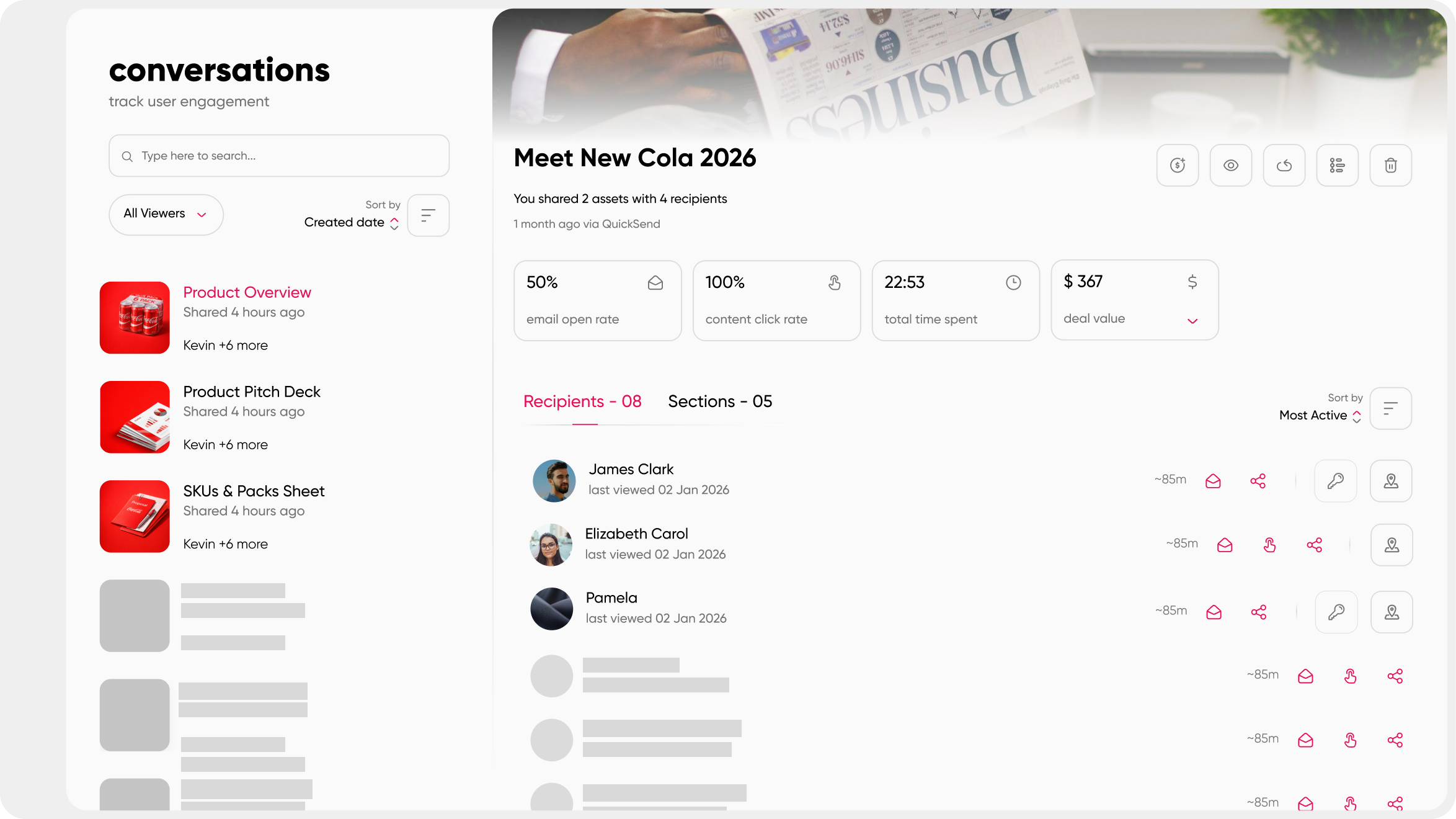
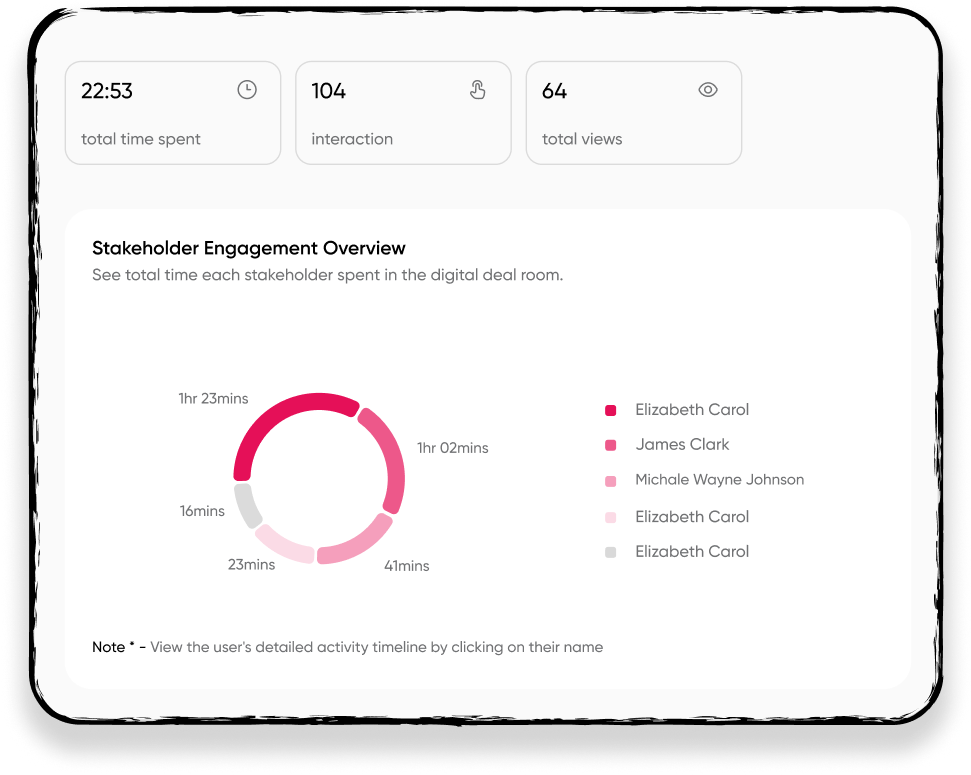
On the question of who specifically opened your document: first-party tracking platforms give you per-recipient data. Every person who interacts with a shared collection shows up individually in your analytics. You can see exactly who opened what, which sections they spent time on, and whether they forwarded it to anyone else. That answers "who opened my sales document" with precision.
Tracking videos and other rich media formats alongside documents gives you a complete picture of the content journey.
Third-Party Signals: What They're Researching Across the Web
Tools like Bombora, 6sense, and Demandbase track anonymous browsing behavior across thousands of B2B publisher sites. They surface "topic surges" for target accounts, telling you that a company is researching a category before they have ever contacted you. That is genuinely useful for prospecting and prioritizing outreach.
The limitation is that third-party signals operate at the account level and go silent the moment you start a deal-level conversation. They cannot tell you what a specific person did with the specific content you sent them. First-party and third-party intent are complementary data layers, not substitutes for each other.
Understanding how these layers fit into your broader sales content management approach is what separates reps who act on data from reps who collect it.
Contextual Signals: What's Happening at the Account
Job postings, leadership changes, funding rounds, and earnings call language give you situational context. They do not directly reveal content engagement, but they frame the urgency. A company that just hired a new VP of Sales and is showing first-party engagement spikes on your proposal is a very different conversation than one doing low-signal browsing. Combining all three signal types gives you the full picture.
How to Set Up a System to Track Prospect Content Intent
How do you actually track what content a prospect is viewing? The answer involves five operational steps, starting with one change that unlocks everything else.
The tools you need to track how prospects engage with content you send are content-sharing platforms that generate per-recipient tracked links, such as Paperflite, rather than static email attachments. The key capability to look for is per-page engagement data at the individual recipient level, combined with real-time alerts that fire in your existing workflow. These platforms replace guesswork about prospect interest with observable behavioral data tied to specific assets and specific people.
Step 1: Stop Using Email Attachments
Attachments are tracking black holes. The moment a PDF leaves your inbox and lands in the prospect's downloads folder, your visibility ends. You get one signal: downloaded, or not downloaded. No page-level data. No time-on-page. No return visit notifications. Nothing.
The prerequisite for tracking prospect content intent is switching from attachment-based sharing to link-based sharing from a centralized content platform. Every other step in this list depends on that change being made first.
If you are evaluating what that platform needs to do, the 7 must have features of content hub is a useful starting point for understanding what capability you actually need versus what is nice to have.
Step 2: Centralize Content in One Place
Before you can track engagement, everything needs to live in one place. The rep who pulls a deck from Google Drive, a case study from their downloads folder, and a product sheet from Dropbox, then attaches all three to an email, has zero chance of reading prospect intent. Each asset is invisible to your analytics layer the moment it is sent.
Centralizing your content into a platform that generates tracked, shareable links is the operational foundation. When content lives in a central hub, every share produces data. Every view is recorded. Every return visit surfaces in your dashboard. And your
sales content library stays organized, current, and findable by every rep on the team.
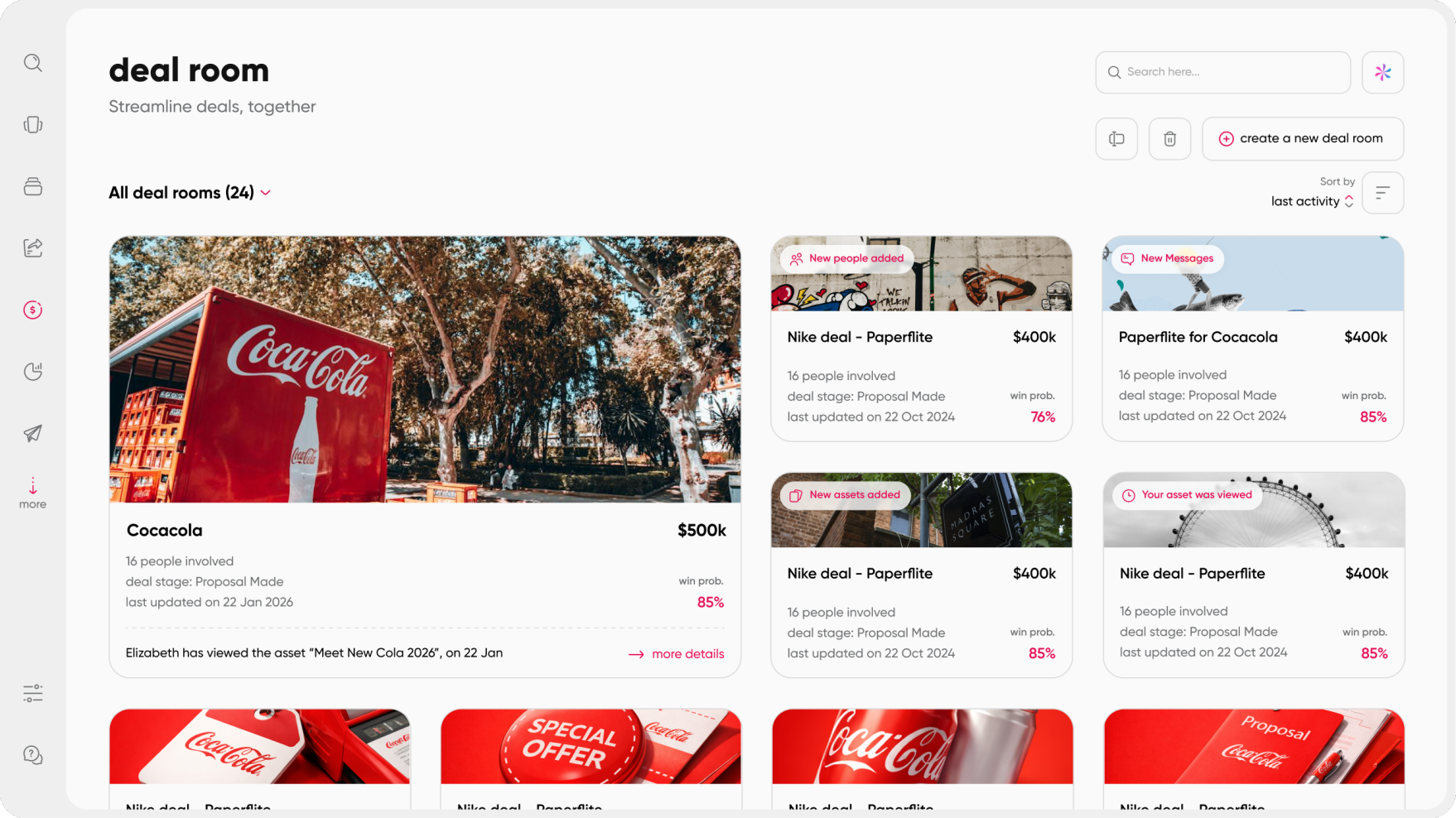
Step 3: Share Content as a Personalized, Trackable Collection
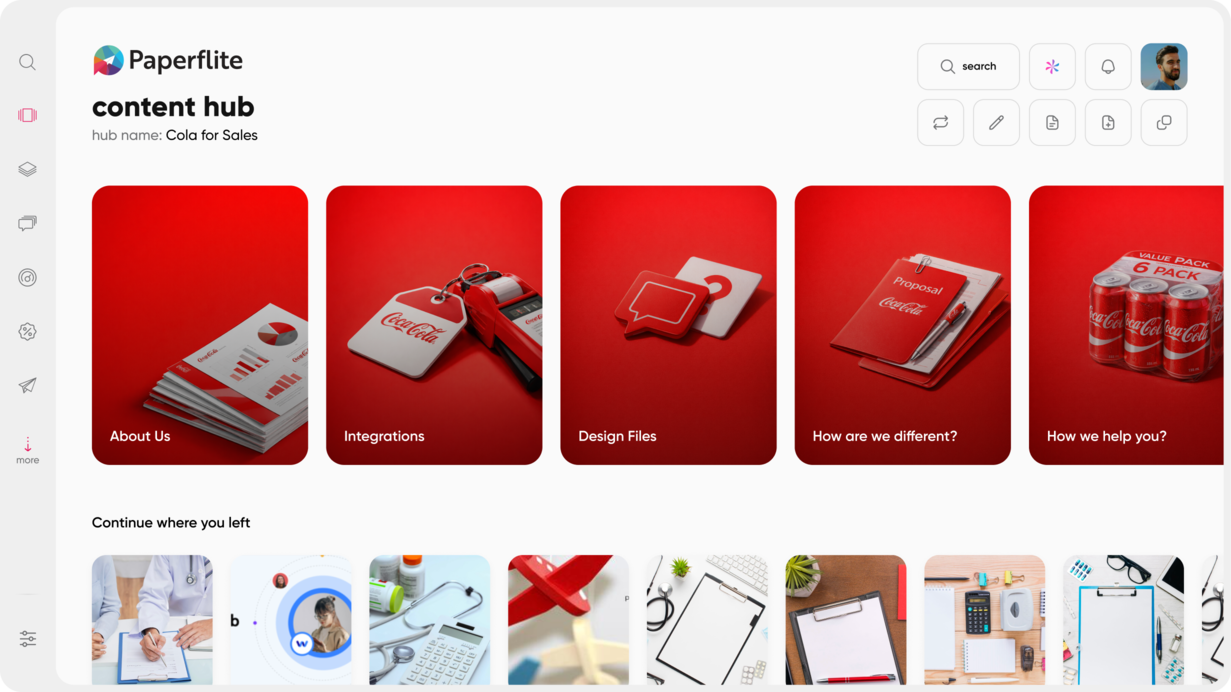
Instead of sending multiple attachments, share a single branded link that houses all relevant assets for this prospect. Each recipient gets a unique link. The platform tracks individual behavior per recipient, not aggregate traffic across all the people who ever received the same content.
Personalizing content for each prospect at scale works when the platform generates a per-recipient microsite automatically. The rep selects which assets belong in this prospect's collection, adds a brief personal note, and shares one link. The system handles the unique tracking, the personalized display, and the engagement logging. No web design skills required.
The principle that your prospects deserve content experience applies directly here. A curated, branded collection signals professionalism and intent. It also gives you richer analytics than any attachment ever could.
Step 4: Configure Real-Time Alerts
The value of intent data degrades fast. Research on speed-to-lead consistently shows that the first vendor to engage a prospect during an active evaluation wins a disproportionate share of deals. The same logic applies to follow-up on engagement signals: a rep who responds within hours of a pricing-page visit has a very different conversation than one who follows up three days later.
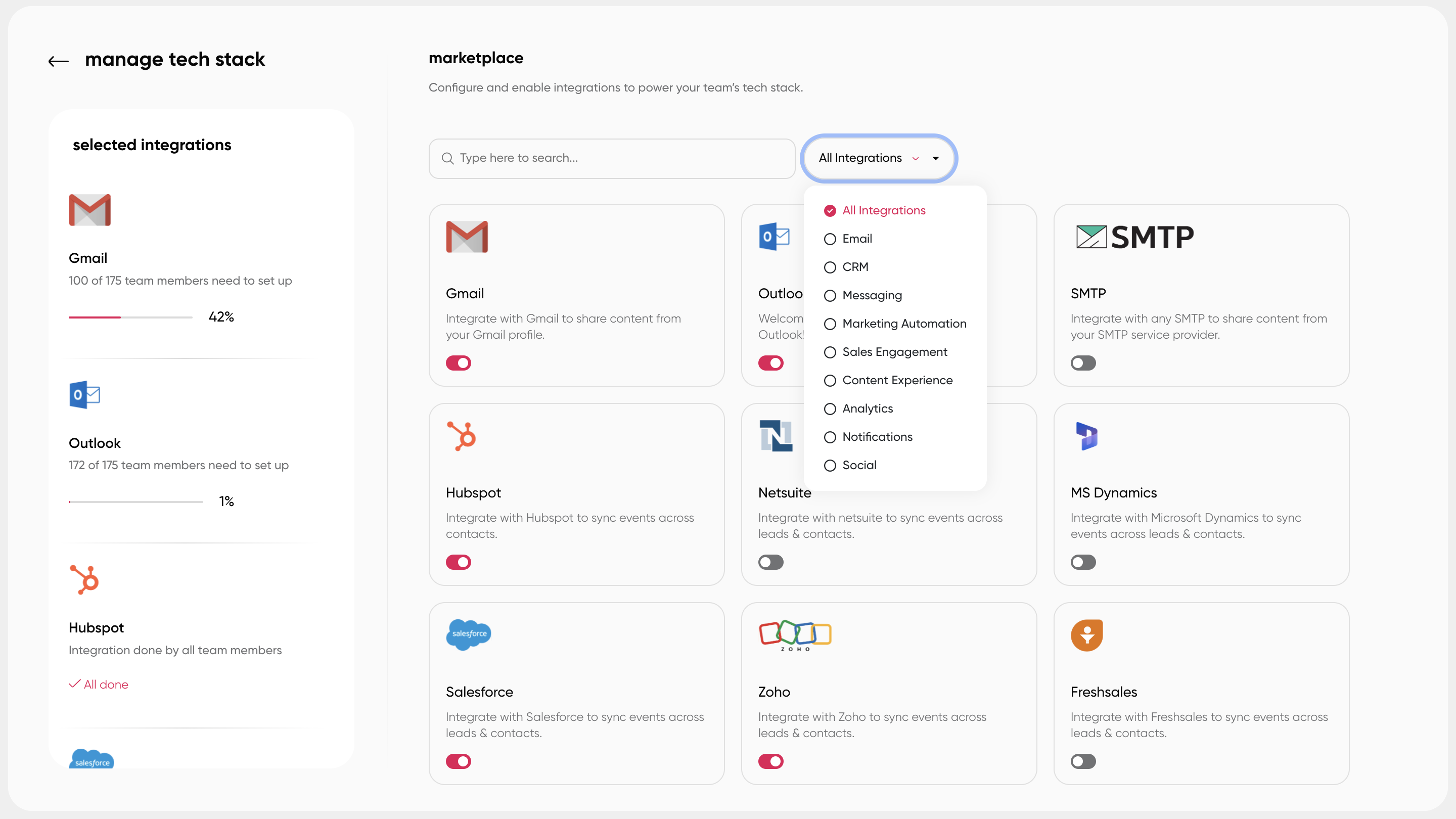
Set up alerts so you are notified the moment a prospect opens a collection, spends significant time on a document, or forwards it internally. The alert needs to fire in your existing workflow: Slack, Salesforce, Gmail, wherever you spend your day. Not in a separate reporting portal you have to remember to open.
Most modern content-sharing platforms allow alert configuration at the asset level. You can set thresholds, for example, notify me when any recipient spends more than two minutes on the pricing page, rather than getting a notification every time someone clicks a link. Setting those thresholds thoughtfully prevents alert fatigue and keeps the signal meaningful.
Step 5: Interpret Signals, Don't Just Collect Them
Data without interpretation is noise. Once you have alerts configured, the team needs a shared reading guide so signals translate into actions consistently.
Build it as a simple decision tree:
- Return visit to pricing page: they are re-evaluating. Send an ROI summary or a tailored comparison, not a check-in.
- Internal forward to a new stakeholder: the buying committee is forming. Ask to be introduced rather than waiting for the prospect to loop you in.
- Three-plus minutes on the implementation section: technical questions are forming. Offer a call with your solutions engineer.
- No engagement after 72 hours: do not send another "checking in." Send a different asset, one that covers a pain point you have not addressed yet.
The goal is that every follow-up feels specific to what the prospect was actually looking at, turning your 13 Most Important Types of Sales Enablement Content from static assets into live conversation fuel.
Reading Intent Signals: A Practical Interpretation Guide
Content engagement data helps sales reps follow up by replacing gut-feel timing with observable behavioral cues. When you can see exactly what a prospect looked at and for how long, your next message can speak directly to what is on their mind, rather than guessing.
Not every signal means the same thing. Here is a simple reading guide:
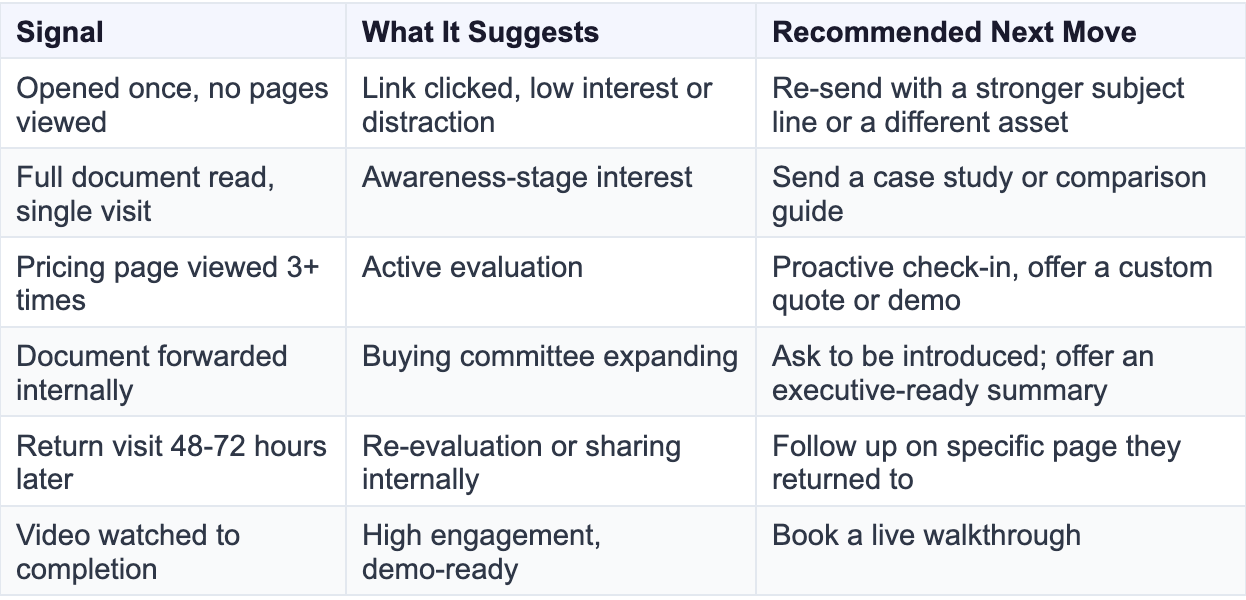
A rep who sees that a prospect returned to a shared document twice in three days and spent eight minutes on the pricing slide has a very different conversation to start than one who only knows "they have not replied yet." The right follow-up is specific, references what the prospect was looking at, and offers something that answers the implied question behind that viewing behavior.
The pattern across multiple signals is always more reliable than any single data point. A prospect who opens the document once and spends four seconds on page one may simply have misclicked. A prospect who opens it twice, spends time on pricing, forwards it to a colleague, and returns three days later is a deal that is moving.
Building a team around content that converts means having both the right assets and the analytics to know which ones are actually doing the work at each stage of the deal.
How Paperflite Helps Teams Track Prospect Content Intent
Most content-sharing tools track one document at a time. You share a deck, the tool tells you it was opened or not opened. The analytics stop there.
Complex deals do not work that way. A prospect interacts with a pricing deck, a case study, and an implementation guide across six weeks and three different stakeholders. What you need is a full engagement timeline across all of those assets, not isolated open events per document.
Paperflite is built around the deal and the buyer. Here is what that looks like in practice, including how it connects to the broader digital sales room experience.
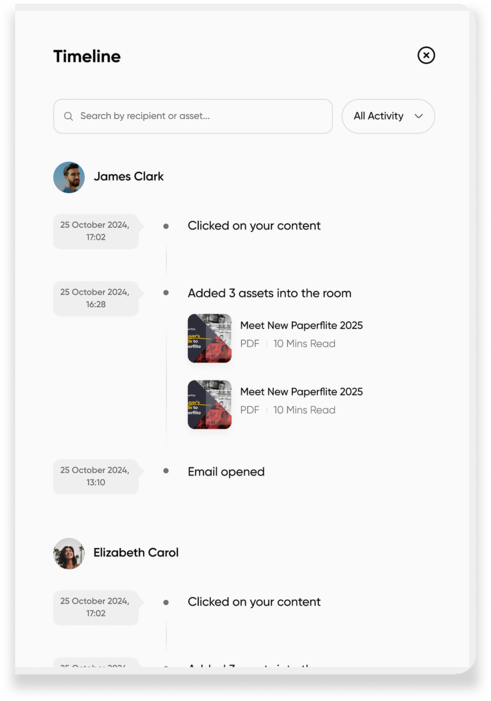
Multi-asset engagement timeline. When a rep shares five assets with a prospect across a six-week sales cycle, Paperflite shows how the buyer's engagement evolved across all of them, in chronological order, with per-asset analytics for each visit. That aggregate view is what makes the analytics actionable for a complex deal rather than for a single pitch.
Multi-recipient tracking. When a content collection is shared with multiple stakeholders, Paperflite tracks which individual recipients opened the email, clicked into which assets, and how long each person spent. The buying committee reveals itself without the rep having to ask who else is involved.
Real-time notifications in the rep's workflow. Alerts fire in Salesforce, Salesloft, Gmail, and Slack. The rep does not need to log into a separate analytics dashboard to know when to call. The signal comes to them, where they already work.
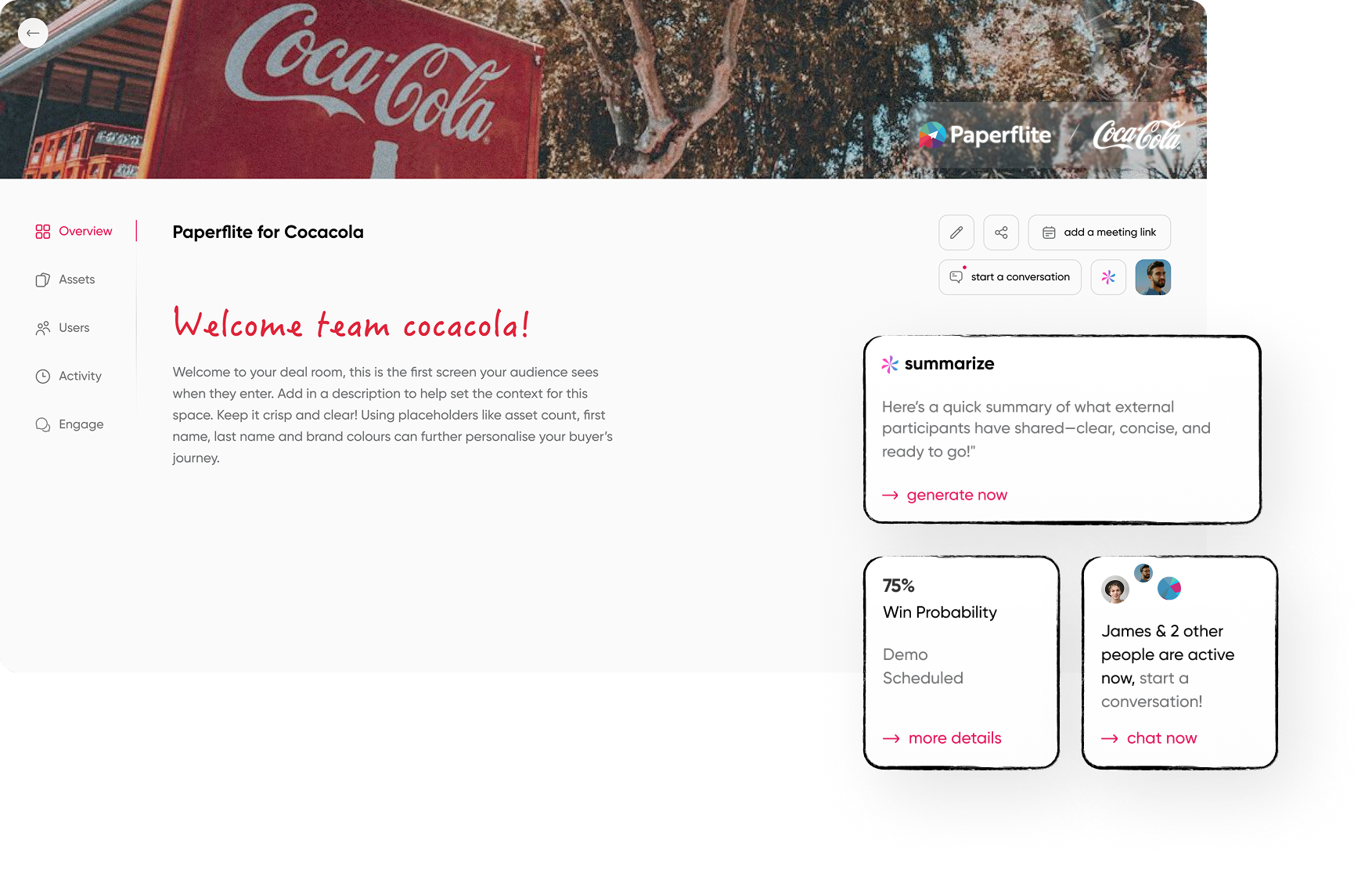
FliteView personalized microsites. Each prospect gets a branded, personalized landing page for their content collection. It looks like a curated experience to the buyer. It generates full engagement analytics for the rep. There is no web design skill required on the rep's side.
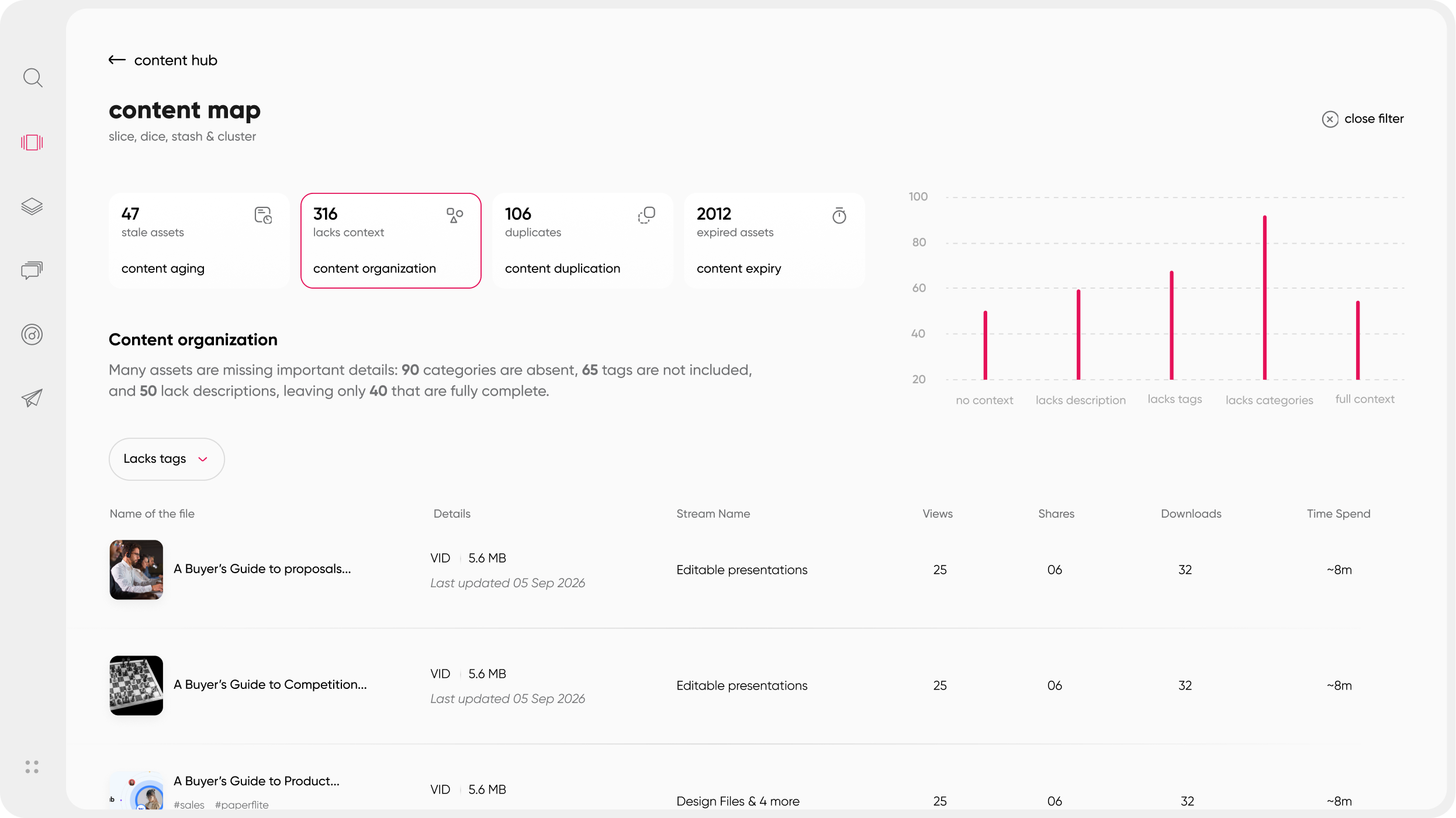
Content performance across all deals. Marketing can see which assets generate sustained engagement and which ones lose prospects at slide three. Over time, this feedback loop improves the quality of content produced for each stage of the sales cycle. Not based on rep anecdotes, but on observable buyer behavior across hundreds of deals.
Understanding what a digital sales room can do for your deal flow gives this all additional context, particularly for teams running multi-stakeholder enterprise deals.
Conclusion
Tracking prospect content intent is not about collecting more data. It is about knowing what the specific buyer in front of you actually did with what you gave them, so your next message can be relevant instead of generic.
The teams that build this process, share tracked content, read the engagement signals, and act on them while the prospect is still actively thinking, consistently close more deals in less time. The infrastructure is not complicated. It starts with moving away from email attachments and toward link-based sharing that generates per-recipient analytics. Everything else follows from that shift.
Building a strong sales enablement strategy means having both the content and the visibility into how that content performs at the deal level. And following revenue enablement best practices means closing the loop between what marketing creates and what buyers actually engage with.
Frequently Asked Questions
What is prospect content intent?
Prospect content intent refers to the behavioral signals a buyer generates when interacting with the content a sales rep shares with them. Unlike general web intent data, this is first-party: it tells you which pages a specific individual read, how long they spent, whether they forwarded the document, and whether they came back. These signals are the most reliable indicators of purchase readiness available to a sales team.
How do you track what content a prospect is viewing?
You need a content-sharing platform that generates per-recipient tracking links rather than sending static email attachments. When a rep shares content through a platform like Paperflite, every open, time-on-page, and forwarding event is captured and reported back in real time. Email attachment downloads generate zero engagement data after the file leaves the inbox.
What content engagement signals tell you a prospect is ready to buy?
High-intent signals include multiple visits to a pricing section, internal forwarding to new stakeholders, return visits to a document 48 to 72 hours after initial sharing, and high video completion rates on product demos. Low-intent signals include a single brief open with no page engagement, or no activity after 72 hours. The pattern across multiple signals is more reliable than any single data point.
What is the difference between first-party and third-party content intent data?
Third-party intent data (from providers like Bombora or 6sense) tracks anonymous browsing behavior across thousands of B2B publisher sites to flag accounts researching a topic category. First-party intent data comes from your own interactions with a prospect, specifically what they did with the content you shared directly. First-party signals are higher-confidence because they represent behavior you can observe with precision, not a probabilistic inference from web activity.
How do real-time content engagement alerts help sales reps?
When a prospect opens a shared document, spends significant time on a specific section, or forwards it internally, a real-time alert lets the rep follow up while the prospect is actively thinking about their material. This dramatically improves the relevance and timing of follow-ups. Research on speed-to-lead consistently shows that the first vendor to engage a prospect in their evaluation wins a disproportionate share of deals.
Can you track who else at a prospect's company viewed shared content?
Yes, with a multi-recipient tracking platform. When a sales rep shares a content collection and it gets forwarded internally, the platform records each new recipient's engagement, revealing which new stakeholders have entered the buying conversation. This tells the rep when the buying committee is forming, which is often the strongest signal that a deal is progressing toward a decision.
How does content intent tracking help marketing improve what they create?
When sales reps share content through a tracked platform, aggregate analytics reveal which assets generate sustained engagement across multiple deals, which sections consistently lose viewers, and which content types appear in deals that close. Marketing can use this data to retire underperforming assets, improve weak sections, and build more of what actually moves buyers forward rather than relying on anecdotal feedback from sales.