Best Content Platform for Field Sales Teams in 2026
Your rep is ninety seconds from walking into the biggest meeting of her quarter. She's in the parking lot, tablet in hand, doing one last check of the deck before she heads in. The loading wheel just spins. No wifi. No deck. Ninety seconds on the clock, and nothing to show for it.
If that scene sounds familiar, you already know why a shared drive doesn't cut it for reps who sell in person. A content platform for field sales is built specifically for that parking lot moment: content that's already on the device, already the current version, and ready to open the second a rep needs it, wifi or not. It's a different design problem than the one most content tools were built to solve, and that difference is the reason so many field teams end up frustrated with software that looked fine in the demo.
It isn't only a connectivity problem, either. Sales reps juggle an average of 1,400 pieces of content over a two-year stretch, according to Forrester research. For a desk-based rep, that's an organizational headache, solvable with a better folder structure and a Friday afternoon. For a rep working out of a truck, a hospital hallway, or a trade show booth, it's the difference between closing the meeting and rescheduling it. There's no time to search when the buyer is standing right there.
Multiply that ninety-second scramble across a whole team and it stops being one rep's bad afternoon. It becomes a pattern that shows up in win rates, in how long deals sit in the pipeline, and in how much marketing content ever actually gets used the way it was designed to be used. None of that shows up on a dashboard as “content platform problem.” It just looks like a slow quarter.
This guide covers what actually separates a field-ready content platform from a repurposed inside-sales tool, the features worth paying for versus the ones that sound good in a sales call, and where Paperflite fits if your reps spend more time in cars and lobbies than at a desk.
A content platform for field sales is a mobile-first tool that lets outside reps store, personalize, and share sales content that works without an internet connection, while tracking how prospects engage with it in real time. It replaces scattered drives and outdated PDFs with one always-current library reps can trust in front of a buyer.
What Is a Content Platform for Field Sales?
What is a content platform for field sales?
A content platform for field sales gives outside reps one place to find, personalize, and share the materials they use in front of buyers: case studies, pricing sheets, decks, product one-pagers. It's built to work fully offline and sync the moment a rep reconnects. Unlike a general file-sharing drive, it also tracks engagement, so a rep knows the instant a prospect opens what was sent.
Despite years of predictions that digital channels would make in-person selling obsolete, face-to-face meetings still convert at a noticeably higher clip for complex, high-value deals. Personal interactions lead to a 60% higher chance of success in complex B2B sales, according to research from ZS Associates. So what does that mean for you? The in-person meeting isn't going away, which means the content a rep brings into that meeting still carries the weight of the whole pitch. A field rep can't fall back on a follow-up email the way an inside rep can when a call goes sideways. What they bring into the room is what they've got.
This shows up most clearly in industries where the product itself is hard to fully explain over a screen: medical device reps walking hospitals, manufacturing reps on a factory floor, distribution reps working a route of retail accounts. In each case, the content isn't a supporting document. It's the thing standing in for a demo, a sample, or a walkthrough that can't happen any other way in that setting.
That's a different job than what most content management tools were built for. A generic CMS assumes a rep is at a desk, on stable wifi, searching a folder tree that mirrors how marketing organizes files internally (nested by campaign, by quarter, by whoever set it up three reorgs ago). A field sales content platform assumes none of that. It assumes the rep is standing in a lobby, phone in hand, thirty seconds before a meeting, needing the one asset that matches this specific buyer, this specific industry, this specific stage of the deal. Search that's built for a desk researcher doesn't hold up under those conditions, and neither does a folder structure that only makes sense to the person who built it.
The distinction matters more than it sounds like it should, because most vendors selling into this space blur it on purpose. A platform can technically have a mobile app and still not be built for field selling. The real test isn't whether reps can open the app on a phone. It's whether the app still does its job when the phone has no signal, and whether a rep can find the right asset in the time it takes to say “let me pull that up,” not scroll through a search results page.
How It Differs From a Field Sales CRM or Route-Planning Tool
Search “field sales software” and you'll land on a mix of route planners, territory mapping tools, and CRMs built for outside reps, sitting right alongside content and enablement platforms in the same results. They solve genuinely different problems, and most field teams end up needing both rather than picking one.
A field sales CRM (think territory mapping, visit tracking, route optimization) helps a rep get to the right place at the right time. A content platform for field sales helps that rep say and show the right thing once they're there. One manages the day. The other manages the pitch. Confusing the two, or trying to stretch a route-planning tool to double as a content library, is a common reason field teams end up disappointed with a tool that was never built to solve their actual content problem in the first place. A CRM that's working fine while reps still hunt for the right deck before every meeting is a sign the gap isn't in the CRM. It's in the content layer sitting next to it.
Why Field Sales Needs a Different Approach Than Inside Sales
An inside rep who loses wifi for ten minutes is mildly annoyed and moves on to another call. A field rep who loses wifi thirty seconds before a client meeting has a real, immediate problem with no easy workaround. That's the core difference, and it shapes almost everything about how a field sales content tool needs to work, from the ground up rather than as an afterthought.
The Connectivity Problem
Field reps operate in parking garages, factory floors, rural territories, and hospital basements: all the places where “just refresh the page” isn't an option. B2B field reps lose close to 9 hours a week to administrative friction and manual workarounds, according to SPOTIO's research on field sales productivity, and unreliable access to the right materials in the moment is a meaningful chunk of that number. For a team of ten reps, that adds up to thousands of hours of selling time a year that never actually gets spent selling.
Offline access has to mean actual offline access: content downloaded and ready before the rep loses signal, not a “please check your internet connection” message the moment they need it most. That distinction sounds small until you're the one standing in a client's lobby watching a spinning wheel. Ten ways to use an iPad for field sales presentations covers what genuine offline reliability looks like in practice for reps who present from a tablet, and it's worth reading before you sign anything based on a vendor's offline claims alone.
The Right Content, Right Moment Problem
Even with perfect connectivity, a rep standing in front of a buyer doesn't have time to dig through a repository. They need the healthcare-specific case study, not the generic one. The updated pricing sheet, not the version from two quarters ago that's still floating around someone's downloads folder. And they need it in about the time it takes to say the sentence, not the time it takes to run a search and scroll past ten irrelevant results.
Field marketing and field sales content start to blur for a lot of teams right around this point, and it's worth keeping the two straight when you're evaluating tools. Field marketing covers the on-the-ground campaigns and events that generate the leads in the first place; a field sales content platform is what equips the rep once that lead becomes an actual meeting. Different function, same territory, and some vendors market heavily to one audience while their tool actually gets used by the other, which makes for a confusing buying process if you're not watching for it.
Key Features to Look For in a Field Sales Content Platform
Or ask yourself, "What features should a field sales content platform have?"
Five features separate a platform built for field reps from one that just happens to have a mobile app: offline access, real-time engagement alerts, mobile-first personalization, digital sales rooms, and CRM integration. Here's what each one actually needs to do, not just what it needs to say on the pricing page.
Offline Access That Actually Works
Can field reps access sales content offline?
Yes, on a platform built for it. Content syncs to the device before a rep goes offline, so decks, pricing sheets, and case studies stay fully available with no connection at all. When the rep reconnects, any updates marketing made in the meantime sync automatically, so nothing shown in a meeting is out of date.
The test isn't whether a platform has an app. It's whether that app still works when the signal drops mid-meeting, and whether a rep has to remember to do anything to make that happen. Look for automatic background sync (not a manual “download for offline” button someone forgets to tap on a Tuesday morning), and confirm directly, in a trial or demo, that new content pushed by marketing shows up on reps' devices without them having to do a thing.
Signals that a platform's offline claim is real, not marketing copy: content downloads automatically in the background rather than requiring a manual step, edits made by marketing propagate to devices without a re-download, and the mobile app functions identically with the connection switched off, not just a stripped-down “view-only” mode. Ask a vendor to turn off wifi during a demo and watch what actually happens. It's the fastest way to separate a real answer from a slide.
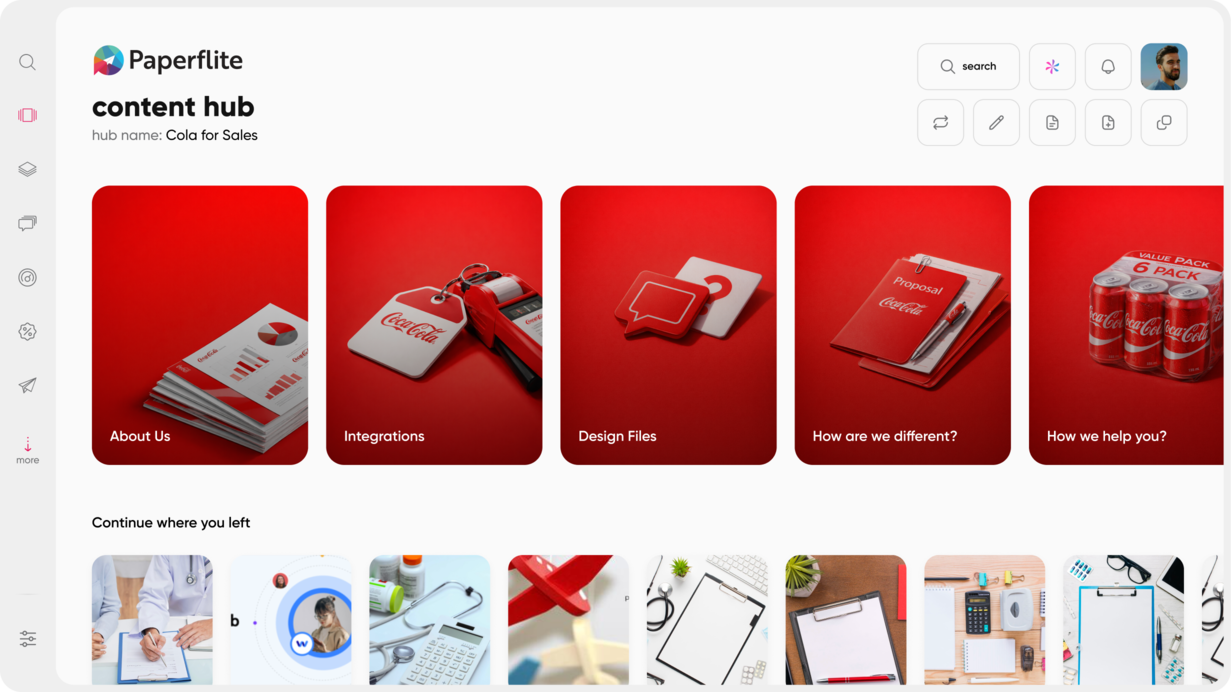
Real-Time Engagement Alerts
A rep shares a case study right after a meeting, feeling good about how it went. Three days later, they follow up cold, with no idea whether the prospect ever actually opened it, let alone read past the first page. Real-time engagement tracking closes that gap: the rep gets a notification the moment a prospect opens, downloads, or shares what was sent, so the follow-up happens while interest is still warm instead of a week later on a guess. (There's a meaningful difference between “just checking in” and “I saw you were looking at the ROI section, happy to walk through the numbers.”)
This matters more for field reps than almost any other feature on this list, because they don't have the luxury of a desk-based rhythm where they're checking a dashboard every hour. A phone notification meets them where they already are, between meetings, in the car, at the airport gate. Picture a rep who gets a ping mid-drive: the prospect just opened the pricing section for the second time in an hour. That's not a coincidence worth ignoring, and a rep who sees it in real time can call from the next parking lot instead of finding out three days later that the moment already passed.
Mobile-First Content Personalization
Building a personalized microsite or proposal from a laptop back at the office is table stakes at this point. Building one from a phone, between meetings, with the prospect's logo and brand colors already pulled in, is what separates a platform designed for field reps from one that was adapted for them after the fact. (Reps emailing themselves reminders to “fix the deck when I'm back at my desk” is exactly the habit this feature is meant to end.)
The best version of this doesn't require a design background either. A rep should be able to drop in a logo, adjust a couple of colors, and send a polished, branded experience without opening a design tool or waiting on marketing to do it for them.
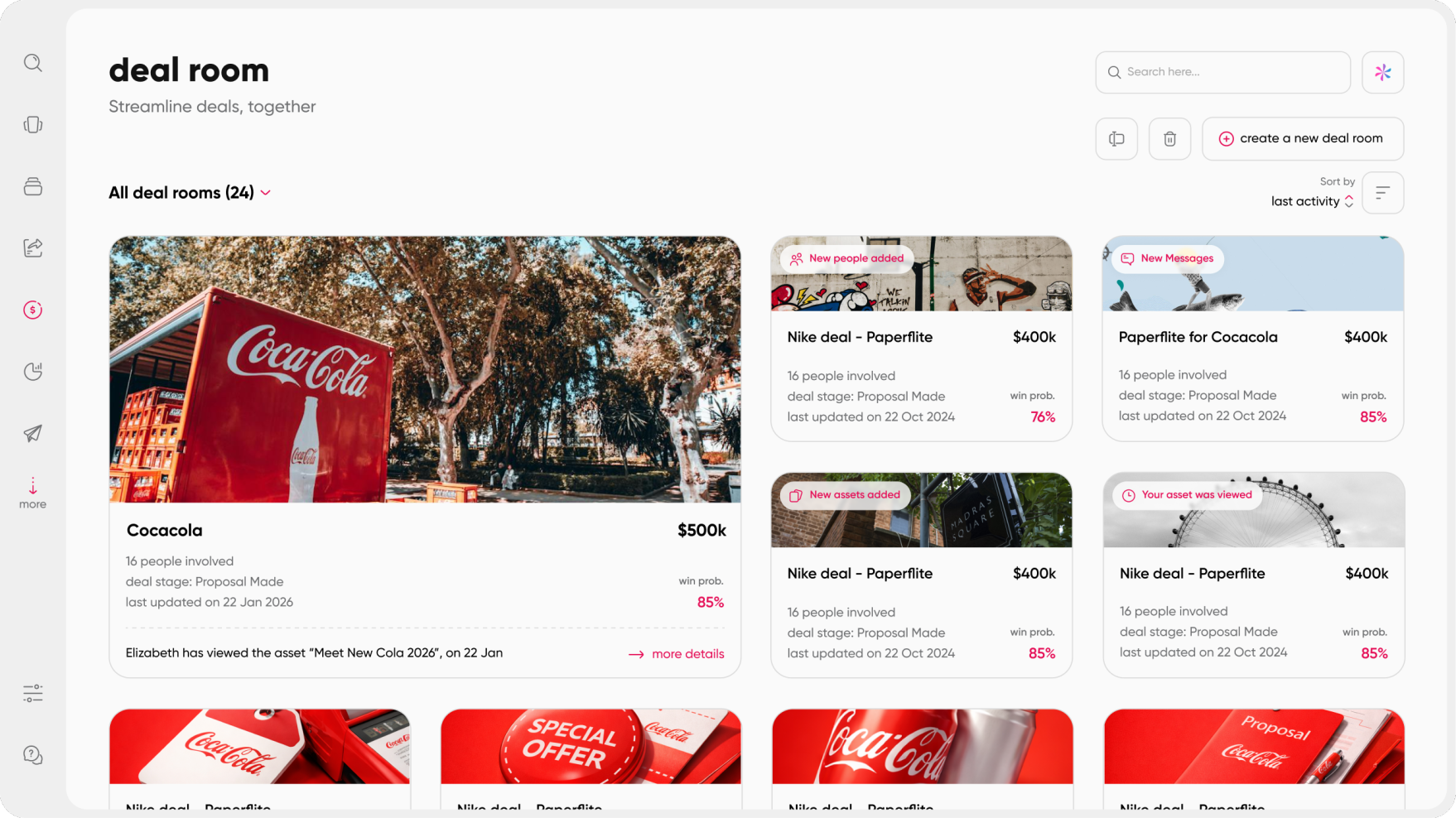
Digital Sales Rooms for Multi-Stakeholder Deals
What is a digital sales room?
A field meeting rarely closes the deal on its own, especially once a second or third stakeholder gets pulled into the decision. A digital sales room gives that in-person conversation a place to keep going: a secure, persistent space where the rep and every buyer-side stakeholder can review materials, ask questions, and track where things stand, all without another round of “can you resend that PDF” emails scattered across three inboxes.
Digital sales rooms are becoming a standard part of the B2B buying process rather than a nice-to-have add-on. Nearly 30% of B2B sales cycles are projected to run through a digital sales room by the end of 2026, per Reveation's analysis of B2B buying trends. A field team's post-meeting follow-up still living in a scattered email thread, with attachments nobody can find two weeks later, is a gap worth closing before it turns into a competitive disadvantage rather than just an inconvenience.
Security matters here too, more than people tend to expect at first. A deal room that involves a buying committee, procurement, technical evaluators, an actual decision-maker, needs access controls that go beyond “anyone with the link.” Look for one-time-password verification and email-only invitations rather than an open shareable link, especially for deals where pricing or contract terms are part of what's being shared.
CRM Integration and Content Analytics
Content and pipeline data need to live in the same place, or someone on your team ends up reconciling two systems by hand every week, usually badly. Look for native integration with whatever CRM your team already runs, Salesforce, HubSpot, or similar, so content engagement shows up next to deal stage without extra manual entry from anyone. Sales enablement content that gets tracked this way is content your team can actually prove is working, not just content that exists somewhere in a library and gets used on faith.
How to Choose the Right Platform for Your Field Team
The honest answer is that “field sales software” covers a wide range of tools, from route-planning apps to full enterprise enablement suites, and not every vendor in that category is solving the same problem you have. Before comparing specific platforms line by line, it helps to separate what you're actually trying to fix. A team struggling with territory coverage and missed visits needs a CRM or route tool first. A team where reps show up with outdated decks or can't pull up materials offline needs a content platform. Some teams genuinely need both, running side by side, rather than expecting one tool to replace the other.
Once you know which problem you're solving, use a simple checklist to compare platforms on the criteria that actually matter for reps who aren't sitting at a desk all day.
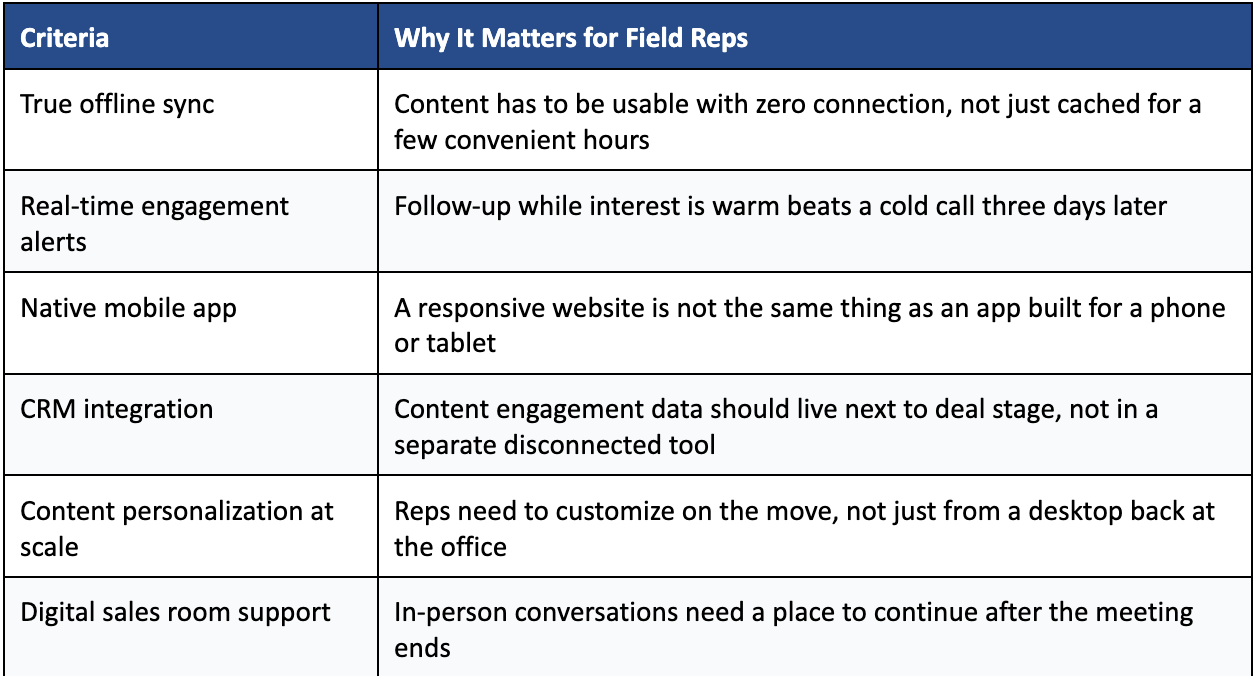
Weight these against how your reps actually work, rather than how a demo happens to be scripted. A team selling in regulated industries with strict content approval needs might prioritize compliance controls above everything else. A team covering a wide, patchy-coverage territory should weight offline reliability the same way. Sales enablement collateral that never actually reaches the rep in a usable, current form doesn't help anyone, no matter how polished it looks sitting in the platform's back end.
Whatever you shortlist, test it the way your reps will actually use it, not the way it gets shown in a scripted demo. Put a phone in airplane mode and try to open a deck. Upload a new version of an asset and time how long it takes to show up on a rep's device. Vendors who are confident in their offline claims will let you do this without hesitation. The ones who steer the conversation back to a features list instead are telling you something too.
How Paperflite Supports Field Sales Teams
Dead zones, outdated decks, and a follow-up window that closes before a rep even gets back to the car: that's the specific problem Paperflite's field sales experience is built around, not a general feature added on afterward.
Content syncs to the Paperflite mobile app before a rep ever loses signal, and it stays current automatically from there. Even if marketing uploads a new version mid-week, the rep's device reflects it without any manual download or a reminder email asking everyone to update their files. When a prospect opens, downloads, or shares something a rep sent, that rep gets a real-time notification right on their phone, so the right follow-up can happen at the moment interest is highest, not three days later based on a hunch.
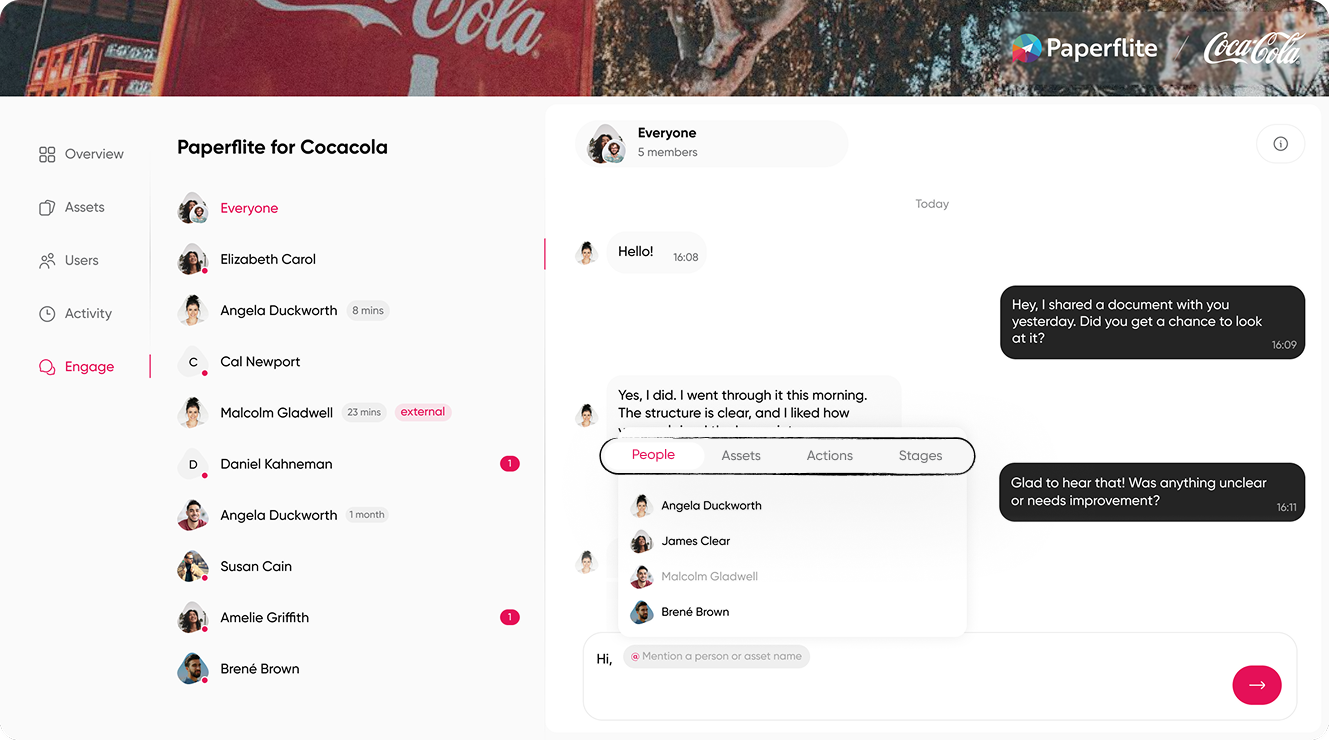
Reps can also build a personalized content microsite right from a phone or tablet between meetings, pulling in a prospect's logo and brand colors without needing to be back at a laptop or waiting on someone else to do it. And when a field conversation needs to continue past the initial meeting, Paperflite's Deal Rooms give reps and buying-committee stakeholders a secure, trackable space to keep collaborating, with the same real-time engagement visibility built in from the start.
None of this asks reps to change how they already sell. It just makes sure the content keeps up with them, wherever they happen to be standing.
Finding the right asset in the first place is part of the same problem, which is why Paperflite includes SEEK, an AI-powered search built for the content repository itself. A rep can describe what they need in plain language rather than remembering an exact file name, and the right asset surfaces in seconds, on a phone, standing in a lobby, same as it would from a desk.
See how Paperflite works for teams selling in the field: Paperflite for Field Sales.
Conclusion
Field sales and inside sales aren't the same job, and the content tools built for each shouldn't be either. A generic file-sharing drive, or a CRM stretched to cover content management on top of everything else it does, will always leave a gap somewhere: a deck that won't load in a dead zone, a version nobody remembered to update, a follow-up that happens too late to matter to the deal.
The best content platform for field sales closes that gap with offline access that actually works offline, real-time visibility into how prospects engage with what's shared, and content reps can personalize from wherever they're standing, not just from a desk. Whatever platform you land on, weight it against how your team actually sells out in the field, not how a demo happens to look from a conference room back at the office.
Ready to see what that looks like for your team? Book a demo and bring your reps' actual field conditions into the conversation.
Frequently Asked Questions
What is a content platform for field sales?
A content platform for field sales is a mobile-first tool that lets outside reps store, personalize, and share sales content that works without an internet connection, while tracking engagement in real time. It replaces scattered drives and outdated decks with one always-current library.
How is a field sales content platform different from a field sales CRM?
A CRM manages contacts, territories, and pipeline data. A content platform manages the sales materials reps actually share with buyers and tracks how those materials get used once they're out in the world. Most field teams run both together rather than choosing one over the other.
Can field reps access sales content without an internet connection?
Yes, on platforms built for true offline sync. Content downloads to the device before a rep goes offline and updates automatically once they reconnect, so nothing shown in a meeting is ever out of date.
What is a digital sales room, and how does it help field sales?
A digital sales room is a secure, persistent space where a field rep and buyer-side stakeholders continue a conversation that started in person, sharing documents both ways and tracking engagement after the meeting wraps up.
What's the difference between a digital sales room and a content management platform?
A content platform is the internal library where a team organizes and personalizes sales materials. A digital sales room is the buyer-facing space, often generated from that same library, where a specific deal's content and conversation live together in one place.
What features should I look for in a content platform for field sales?
Offline access, mobile-first design, real-time engagement alerts, content personalization, and CRM integration are the five that matter most for reps working outside the office on a regular basis.
How do field sales content platforms handle content updates in real time?
Updated or corrected assets sync to every rep's device automatically, so a rep presenting from a tablet is always showing the current version, not one saved weeks earlier and never refreshed.
Can I track how prospects engage with content shared in the field?
Yes. Most platforms log opens, time spent, and shares, and notify the rep when a prospect engages, so follow-up can happen while interest is still fresh rather than after it's cooled off.
Do field sales content platforms integrate with CRM tools?
Most do. Integration with Salesforce, HubSpot, and similar CRMs surfaces content engagement data alongside deal stage, so nothing needs to be manually reconciled between two separate systems.
How much does sales content management software cost?
Pricing varies by vendor and scope. Paperflite's published tiers start at $30 per user per month (Starter) up to $60 per user per month (Advanced), with custom pricing for Enterprise. Several full-suite competitors require a custom quote regardless of team size.
Is a field sales content platform worth it for a small team?
It depends more on how your team sells than on headcount alone. Teams with reps regularly presenting in person, especially across territories with unreliable connectivity, tend to see the fastest return, no matter how small the team is.