How to Retire Old Sales Enablement Content Without Confusing Reps
To retire old enablement content the right way:
- Audit every asset for usage and accuracy
- Sort each piece into keep, update, or retire
- Archive retired assets instead of deleting them outright
- Redirect any URL that carries SEO value
- Remove every reference to it from your content hub, deal rooms, and CRM
Introduction:
A rep on your team just sent a prospect a one-pager with last quarter's pricing on it. Nobody told her it was wrong. She found it in the shared drive under a folder called "Sales Docs (FINAL)," which, if you have ever worked in marketing, you know is never actually final. The prospect noticed. The deal did not die because of it, but the trust took a small, quiet hit that never shows up in a CRM field.
This happens constantly, and it is rarely anyone's fault in particular. Content piles up. Nobody owns the job of taking it back down. Figuring out the best way to retire old enablement content is not really about deleting files. It is about building a process that catches stale, duplicate, and outdated material before a rep or a buyer finds it first. This guide walks through exactly how to do that: how to spot content that needs to go, how to decide between archiving and deleting, and how to stop the pile-up from starting again.
Most sales teams do not have a content problem in the sense of not having enough. They have the opposite problem. Years of product launches, rebrands, and campaign cycles leave behind a trail of decks, one-pagers, videos, and templates that nobody ever circles back to clean up. Every one of those assets was useful once. Not all of them still are, and the ones that aren't tend to sit quietly in the same folder as the ones that are, indistinguishable until a rep opens the wrong file at the wrong moment.
Why Old Enablement Content Quietly Costs You Deals
Content rot is what happens when a sales library fills up with assets that are outdated, duplicated, or simply ignored, and nobody removes them. The dangerous part is that this content does not announce itself. It just sits in the hub, technically live, waiting for a rep in a hurry to grab the wrong file.
Every sales team has a version of this problem. A pitch deck references a feature that got renamed eight months ago. A case study quotes a customer who churned. A one-pager still uses the old logo. None of this is dramatic on its own (a rebrand delay here, a forgotten deck there), but stack enough of it up and your content library becomes a minefield instead of an asset.
The hidden cost: rep trust and buyer confusion
Reps who get burned by outdated content once tend to stop trusting the library altogether. They start building their own decks in isolation, saving them to personal folders, and skipping the sales reps approved content entirely because they are not sure what is current anymore. That behavior is hard to reverse. Once a rep decides the shared library cannot be trusted, they stop checking it even after you clean it up, and marketing loses visibility into what is actually being said to prospects.
Buyers feel this too, just from the other side. A deal room with three versions of the same pricing sheet, two of them wrong, does not read as thorough. It reads as disorganized. And disorganization is the last impression you want to leave mid-negotiation.
The hidden cost: SEO and site health
If any of your retired content lives on public URLs (old blog posts, resource pages, gated PDFs indexed by search engines), leaving it stale does damage beyond the sales team. Search engines crawl pages and form an opinion about your site's overall quality. A library full of thin, outdated, or duplicate content drags down that opinion, and it can quietly suppress the ranking of pages you actually care about. This is the same principle behind any content audit: stale pages are not neutral, they are a liability sitting on your domain.
Signs a Piece of Content Is Ready for Retirement
Retire a piece of content when it references pricing, features, or branding that no longer exist, when usage data shows nobody has opened it in months, or when a newer asset already covers the same ground better. If two or more of these signals show up on the same piece, it is past due for a decision.
Most teams do not need a complicated scoring model to spot dying content. A handful of clear signals will get you there.
Signal 1: It references outdated pricing, features, or branding
This is the easiest one to catch and the most damaging one to miss. Anything with a dollar figure, a feature name, a logo, or a product screenshot needs a "born on" date attached to it mentally, because all four of those things change more often than most people plan for.
Signal 2: Usage data shows nobody is opening it
If an asset has not been viewed, shared, or opened by a buyer in the last two or three months, that is worth investigating. Sometimes it means the content genuinely has no home in the current sales motion anymore. Sometimes it means reps do not know it exists, which is a discovery problem rather than a content problem, but either way you need the data to tell the difference.
Signal 3: It's duplicated by a newer, better-performing asset
Two decks covering the same use case is not redundancy for redundancy's sake, it is confusion waiting to happen. When a newer version of an asset consistently outperforms the old one in engagement, the old one should be retired, not left to compete for a rep's attention.
Signal 4: Reps have stopped using it and built their own workaround decks
This is the quiet signal nobody puts in a spreadsheet. If reps are visibly making their own content management versions of a deck that already exists in the library, that is a direct signal the official version has failed them somehow, whether on accuracy, findability, or relevance.
The ROT Framework, Applied to Sales Enablement
ROT stands for Redundant, Outdated, and Trivial. Applied to sales content, it means checking every asset against three questions: does something else already say this better, has anything in it stopped being true, and did anyone actually need this piece of content in the first place. Any asset that fails one of the three is a retirement candidate.
This framework comes from web content management, but it maps onto sales enablement almost perfectly. Here is how each piece applies.
Redundant: content saying the same thing, worse
Redundant content is not always an accident. Sometimes two teams built competing versions of the same asset without knowing the other existed. Sometimes an old asset just never got cleaned up after a replacement shipped. Either way, keeping both versions live does nothing but split attention and increase the odds a rep grabs the wrong one.
Outdated: content that no longer reflects reality
This is the pricing sheet, the feature list, the case study with a churned logo on it. Outdated content is the most urgent category because it is actively wrong, not just stale. A rep sharing outdated content with a prospect is not a neutral event, it is a small credibility hit every single time it happens.

Trivial: content nobody needed in the first place
Not everything that gets made turns out to be useful. A one-off deck built for a single deal, a template nobody adopted, a "quick reference guide" that duplicates onboarding material almost word for word. None of this is anyone's fault. It is just the natural byproduct of a busy content team, and it is fine to admit some of it should never have been kept this long.
A Step-by-Step Process to Retire Old Enablement Content
The process comes down to five repeatable steps: inventory everything you have, pull usage data for each asset, score every piece as keep, update, or retire, archive before you delete anything, and finally set up redirects and notify the team so nobody keeps referencing something that no longer exists. Skipping any one of these steps is usually where retirement efforts fall apart.
How often should this happen? Most teams run a light pass quarterly and a full inventory once or twice a year, usually timed to a pricing change or a major product launch, since those are the two events most likely to make a batch of content wrong overnight.
Step 1: Inventory everything, including what marketing forgot about
Start with a full list of every asset your sales team has access to: decks, one-pagers, case studies, battle cards, videos, templates, and anything living in a deal room or content hub. This step always turns up more than expected. Marketing tends to remember the content it made recently and forget the content it made two content managers ago. For a more structured way to run this step, Organize B2B Marketing Content in 8 Simple Steps walks through an inventory approach that works well as a starting template.
Step 2: Pull usage and engagement data per asset
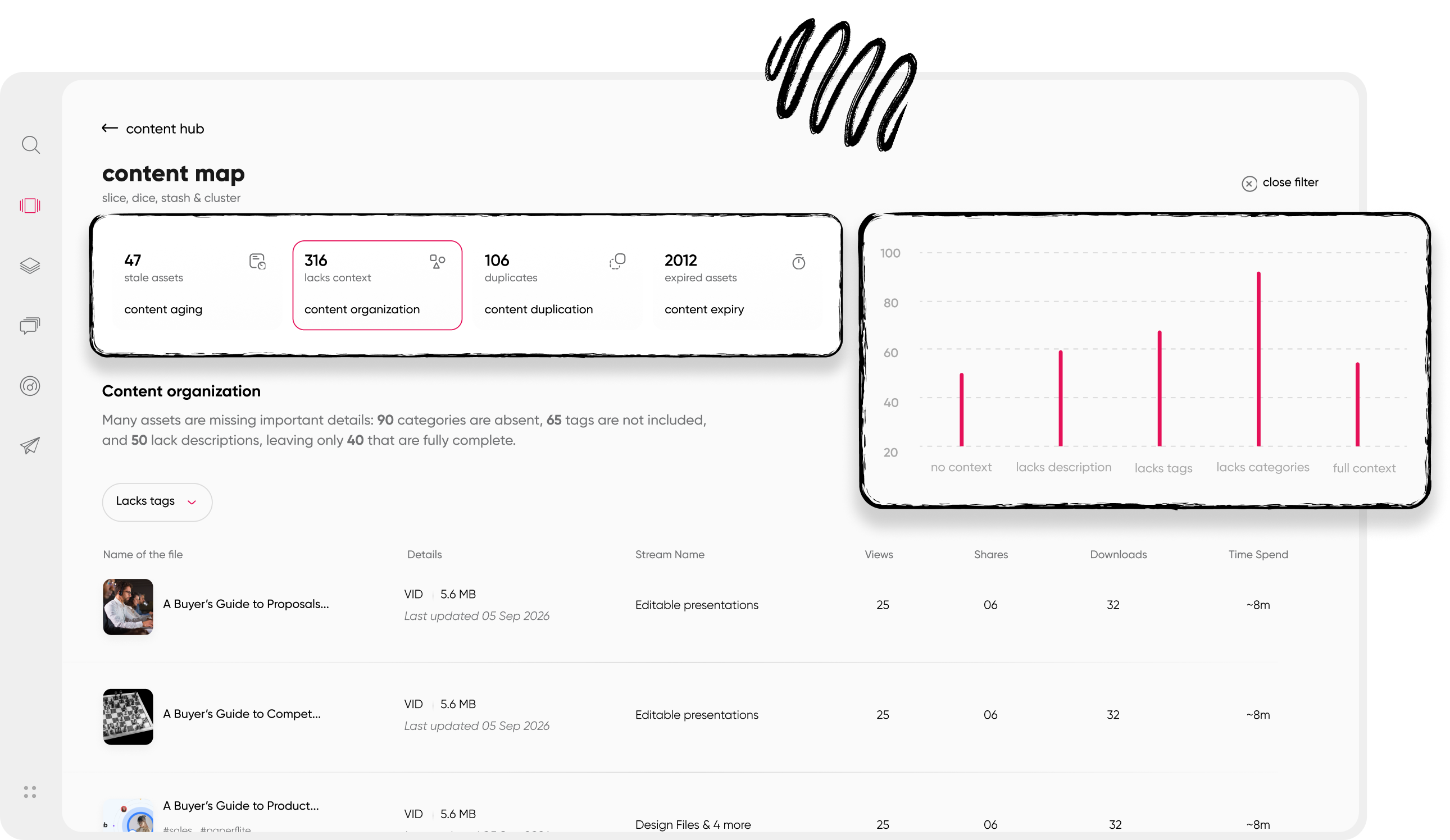
Once you have the list, pull whatever engagement data you can for each item: views, shares, downloads, time spent, and whether buyers actually completed viewing it rather than bouncing after the cover page. This is the step that turns retirement from a guessing game into a data-backed decision.
Step 3: Score each asset: keep, update, retire
With usage data in hand, sort everything into three buckets. Keep covers anything current and actively used. Update covers anything with good bones but outdated details. Retire covers anything that is redundant, outdated beyond a quick fix, or simply unused. Resist the urge to create a fourth "maybe" bucket. It just delays the decision.
Step 4: Archive before you delete
Never delete an asset outright as the first move. Archive it first, somewhere it stays accessible for legal, historical, or reference reasons but is no longer discoverable to reps in the active library. This gives you a safety net if a deal in progress still references the old version, and it protects against the scenario where someone realizes six weeks later they needed that old case study after all.
Step 5: Set up redirects for any indexed, linked, or bookmarked URLs
If the retired content lived on a public URL that search engines have indexed or that reps have bookmarked, put a redirect in place pointing to its replacement or to the closest relevant page. Skipping this step is how retirement projects accidentally create a pile of broken links and a dip in site health that nobody notices until months later.
Step 6: Notify reps and update every hub, playlist, and deal room reference
The last step is the one most teams forget. Removing an asset from the master library does nothing if it is still linked inside old playlists, saved deal rooms, or a Slack pin from eight months ago. Do a pass through every place the content could still be referenced, and send a short note to the sales team explaining what changed and where to find the replacement. For the ongoing structure that keeps this from becoming chaos every time, Content Hub Operations covers how to manage a hub so retirement does not require chasing down loose ends manually.
Archive or Delete? How to Decide
Archive content that still holds historical, legal, or reference value, even if it is no longer active in the sales library. Delete content only when it has zero residual value and nothing (no indexed page, no bookmark, no deal room reference) still points to it. When in doubt, archive. Deleting is permanent, and permanent decisions deserve the higher bar.
When to archive
Archive is the right call for almost everything. It keeps a record for compliance, gives you a reference point if a similar asset gets built later, and protects you from the awkward situation where a deal that started six months ago still references a piece of content that technically no longer exists. Archiving costs almost nothing in storage and buys you flexibility.
When to delete outright
Delete is reserved for content that has no value left at all: a template that was never adopted, a one-off deck built for a single deal that closed or died long ago, or duplicate files created by accident. Before deleting anything, do a quick check for content tracking data showing whether the asset has ever been shared externally. If it has, treat it as an archive candidate instead, just in case an old link still resolves somewhere.
How to Stop the Pile-Up From Happening Again
A one-time cleanup feels great for about a month. Then the next product launch happens, three new decks get built, and nobody circles back to check whether the old ones are still accurate. Preventing that requires a small amount of ongoing structure.
Build a review cadence into your content calendar
Treat content review the same way you treat content creation: as a scheduled task, not a someday task. A quarterly review of high-traffic assets and a full audit twice a year keeps the library from drifting too far before anyone notices.
Assign an owner for every asset
Content without an owner is content nobody feels responsible for retiring. Assign a name (not a team, a name) to every major asset category, so when pricing changes or a feature gets renamed, someone specific knows it is their job to update or flag the affected content.
Use tracking data as an early-warning system, not a postmortem tool
The teams that handle this well are not doing a heroic annual cleanup. They are watching engagement data continuously, so a drop in usage on a specific asset gets flagged and investigated within weeks instead of surfacing a year later during the next big audit. For a deeper look at which numbers actually matter here, 4 Key Sales Enablement Metrics That Matter breaks down the ones worth watching closely.
None of this requires a dedicated headcount or a quarterly ritual that eats a full week of someone's calendar. It requires a lightweight habit: a recurring calendar reminder, a shared spreadsheet or dashboard everyone trusts, and a rule that nobody publishes a replacement asset without also flagging the one it replaces. Small, consistent maintenance beats a big annual cleanup every time, mostly because it never lets the pile get big enough to feel overwhelming in the first place.
How Paperflite Helps You Retire Content Without Guesswork
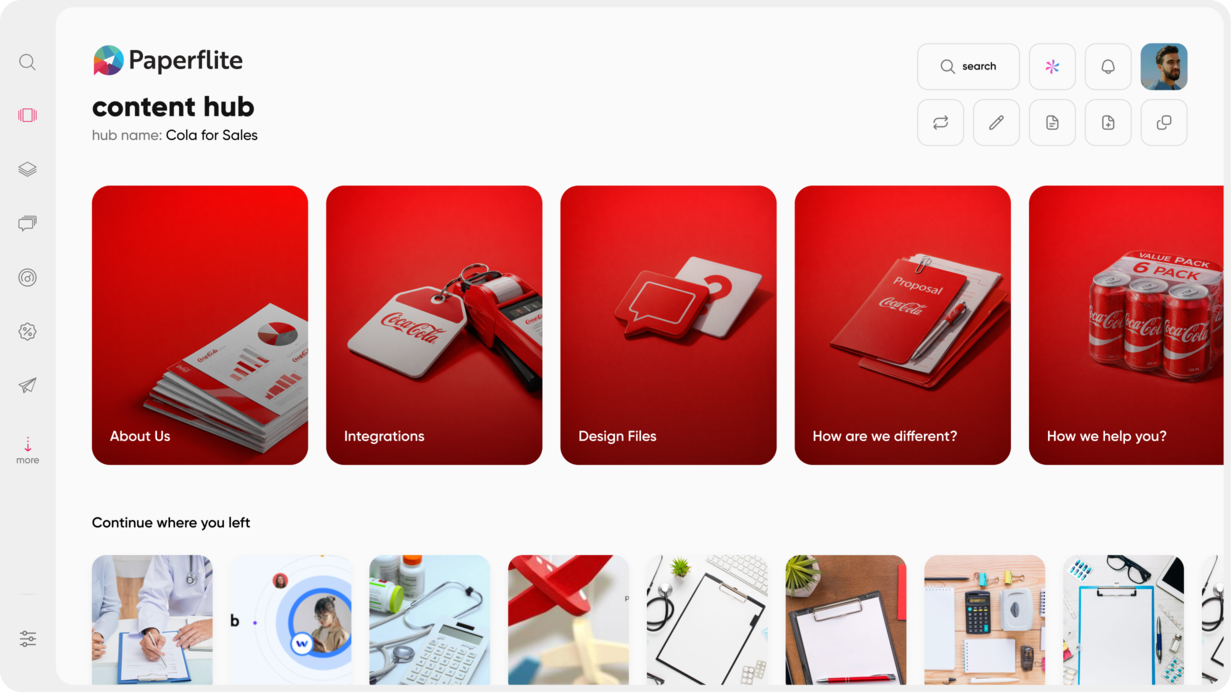
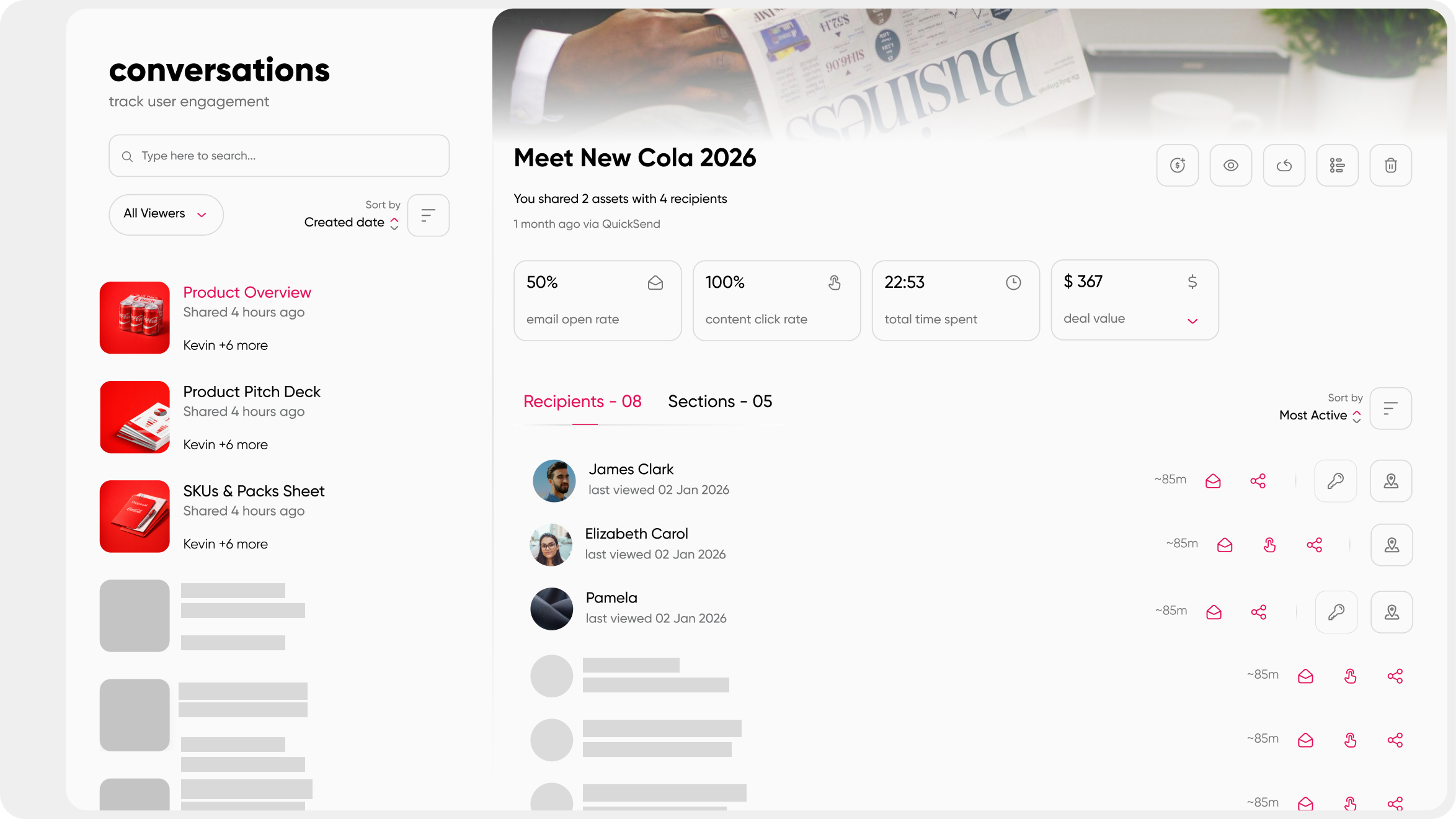
Most of the friction in retiring old content comes from not knowing what is actually happening to it once it leaves your hands. A deck gets shared, and from there it is a black box: you do not know if it was opened, skimmed, or ignored entirely. Paperflite's intelligent content hub closes that gap by showing you which assets buyers are actually opening, sharing internally, and spending time with, across the entire library, rather than leaving you to guess from download counts alone.
That visibility is what makes retirement a data decision instead of a hunch. Every asset in the hub carries its own engagement history: view counts, completion rates, and how it's trending compared to newer versions covering the same ground. If a pricing sheet is getting opened but not finished, or a case study is being skipped in favor of a newer one, that pattern shows up at the library level, not buried inside a single deal, which is usually the first sign a piece of content needs a second look.
This turns content retirement from an annual scramble into something closer to routine maintenance. Marketing and sales share the same view of what is working, so decisions about what to update, archive, or delete are based on what buyers are actually doing rather than a hunch. Tagging and version control inside the content hub make it simple to flag an asset for review, move it to archive, and drop in a redirect without breaking a single link inside a live deal room. And because Paperflite works alongside the CRM and content stack you already have, none of this requires ripping out and replacing tools your team already relies on.
See how it works: book a walkthrough of Paperflite's content hub and engagement analytics.
Conclusion
Retiring old enablement content is not a once-a-year scramble before a big audit. It is a habit built on a simple loop: inventory what you have, check what is actually being used, archive what no longer earns its place, and keep an owner accountable so the pile does not build back up. Get that loop running, and the pricing-sheet-mid-deal problem stops happening by accident and starts getting caught before a rep ever hits send.
If you are ready to build that process on top of real engagement data instead of guesswork, the Sales Content Management Guide is a good next stop for structuring the broader system this fits into.
FAQ
When should you retire old sales content?
Retire content once it references outdated pricing, features, or branding, or once usage data shows reps and buyers have stopped engaging with it for several consecutive months. If a newer asset already covers the same ground more effectively, that is also a strong signal it is time to retire the older version.
What is content rot in sales enablement?
Content rot is the gradual buildup of sales assets that are outdated, duplicated, or simply unused, left live in a content hub where reps might still find and send them by mistake. It rarely happens all at once, which is exactly why it is easy to miss until a rep sends something wrong mid-deal.
Should you delete or archive old sales content?
Archive content that still has historical, legal, or reference value, and reserve outright deletion for content that has no residual value and nothing pointing back to it. When you are unsure which category something falls into, archiving is the safer default since it is reversible and deleting is not.
How often should sales content be audited?
Most teams benefit from a light quarterly review of high-traffic assets and a full inventory once or twice a year. Tying the full audit to major events like a pricing change or product launch tends to work well, since those are the moments most likely to make a batch of content wrong overnight.
Does retiring content hurt SEO?
Not if it is done correctly. Redirecting valuable URLs to updated pages preserves most of the SEO equity those pages built up, while simply deleting pages without redirects can create broken links that hurt crawl efficiency and confuse both users and search engines.
Who should own the content retirement process?
Ownership usually sits with content or enablement marketing, but the decision to retire a specific asset should involve input from sales, since reps often know what is actually being used in the field before the data catches up.
What tools help identify content that should be retired?
Content intelligence and tracking tools that show per-asset engagement, including view counts, share counts, and completion rates, make it far easier to spot content nobody is using than relying on a manual spreadsheet review.
What happens to content shared in old deals if I retire it?
A well-built content platform lets you retire a source asset going forward while keeping previously shared links intact for deals already in progress, so you are not cutting off access to a buyer mid-negotiation just because the source file changed.