The Best Way to Manage Content Versions (Without Losing Your Team in the Process)
The best way to manage content versions is to store all assets in a single, centralized content hub where updates auto-sync across every user. Pair that with role-based access, version history tracking, real-time notifications when content changes, and automated retirement of outdated files. This keeps every rep working from the same, approved version with no exceptions.
Picture this: your sales rep just sent a proposal to a prospect. The pricing is six months old. Marketing updated the deck back in November. Three Slack messages happened, two email threads, one shared drive folder. Nobody told the rep.
This is not a rare story. Managing content versions is one of the most quietly expensive problems sales and marketing teams face. The wrong version of a pitch deck goes out. A pricing sheet from last quarter gets shared.
A case study referencing a product you no longer offer lands in a buyer's inbox. By the time anyone notices, the damage is done.
Sales reps spend an average of 440 hours every year searching for content. (Don't ask how much of that ends with the wrong version.) That search frequently ends with whatever comes up first in a Slack scroll, not the most current, approved asset. And every outdated file that reaches a prospect is a trust gap dressed up as a presentation.
This guide walks through the real reasons version control breaks down, the principles that actually make it work, and the system that keeps every rep selling from the right content every time.
Why Managing Content Versions Breaks Down
Ask any sales team whether they are using the latest materials, and you will usually hear a confident yes. Ask their manager the same question and the answer becomes "I hope so." Ask the customer, and they have often received three different versions of the same deck. That gap is not a people problem. It is a system problem.
Why Shared Drives Are the Wrong Tool for Version Management
Google Drive, SharePoint, and email were built for file storage and collaboration. They were not built for ensuring the right version reaches the right person at the right time.
Here is how it breaks down. A rep downloads a presentation to their laptop. Someone from marketing edits the master file to update pricing. The local copy on the rep's machine has no idea this happened. Multiply that by 40 reps, four regional markets, and six product lines, and you have version sprawl that no naming convention can fix.
The root problem is structural: file systems have no awareness of downstream copies once a file is downloaded. There is no "push update" to the field. Every download is, effectively, a fork. Understanding sales content management goes a long way in seeing why storage tools alone will always fall short.
The Hidden Cost of Version Chaos
Every wrong version sent to a prospect is a trust gap. A buyer who receives three different pricing sheets in three conversations reads one thing: this company is disorganized. That read can kill a deal before the formal evaluation even starts.
A word on that 440-hour figure: that is the average time sales reps spend annually just searching for content, not using it, not tailoring it, not sending it. Just finding it. And that search frequently ends with whatever comes up first, not the most current version. The deeper story of why sales reps overlook marketing content reveals exactly how deep this problem runs.
Content version chaos is not a character flaw among reps. It is what happens when a team tries to use storage tools as distribution tools. The fix is not a training program. It is the right system.
The Principles Behind Solid Content Version Management
Before any tool gets mentioned, there are five principles worth understanding. These are the difference between a content update that takes hold across your team in hours and one that still has outdated versions circulating six weeks later.
Principle 1: Centralize First, Organize Second
What is a single source of truth for sales content?": A single source of truth means every version of every asset traces back to one authoritative location. When anyone on the team shares content, it comes from that source not a downloaded copy, not a forwarded email, not a Slack thread from six months ago. A content update in the source propagates to every instance immediately, without the team manually redistributing a new file.
A single content repository is non-negotiable. Every asset must live in one place that all users access: not a folder structure on a shared drive, not an email thread, not a Slack channel pinned with "the latest version."
Centralization means that when an asset is updated, every user pulling from that source sees the new version automatically. No redistribution required. No "heads up everyone, new deck attached" email.
The practical test is simple: if a rep can download a file and modify it locally, your centralization is incomplete. The moment a file lives on a local machine, it exists outside your version control.
Principle 2: Make Updates Push, Not Pull
Pull-based version management (reps proactively check for updates) fails at scale. People are busy. They are in back-to-back calls. They open what is already on their screen. If a new version requires a rep to go looking for it, most of the time it does not get found until after the old one has already gone to a buyer.
Push-based systems flip this. When marketing publishes a new version of an asset, every rep who touches that content receives a notification automatically. No manual announcement required. The new version does not wait for someone to look for it; it announces itself.
In-platform alerts, automated notifications, and auto-sync features are the mechanical expression of this principle. When every rep is notified that a deck has a new version, the old version stops circulating within hours, not months.
Principle 3: Use Role-Based Access to Protect the Master
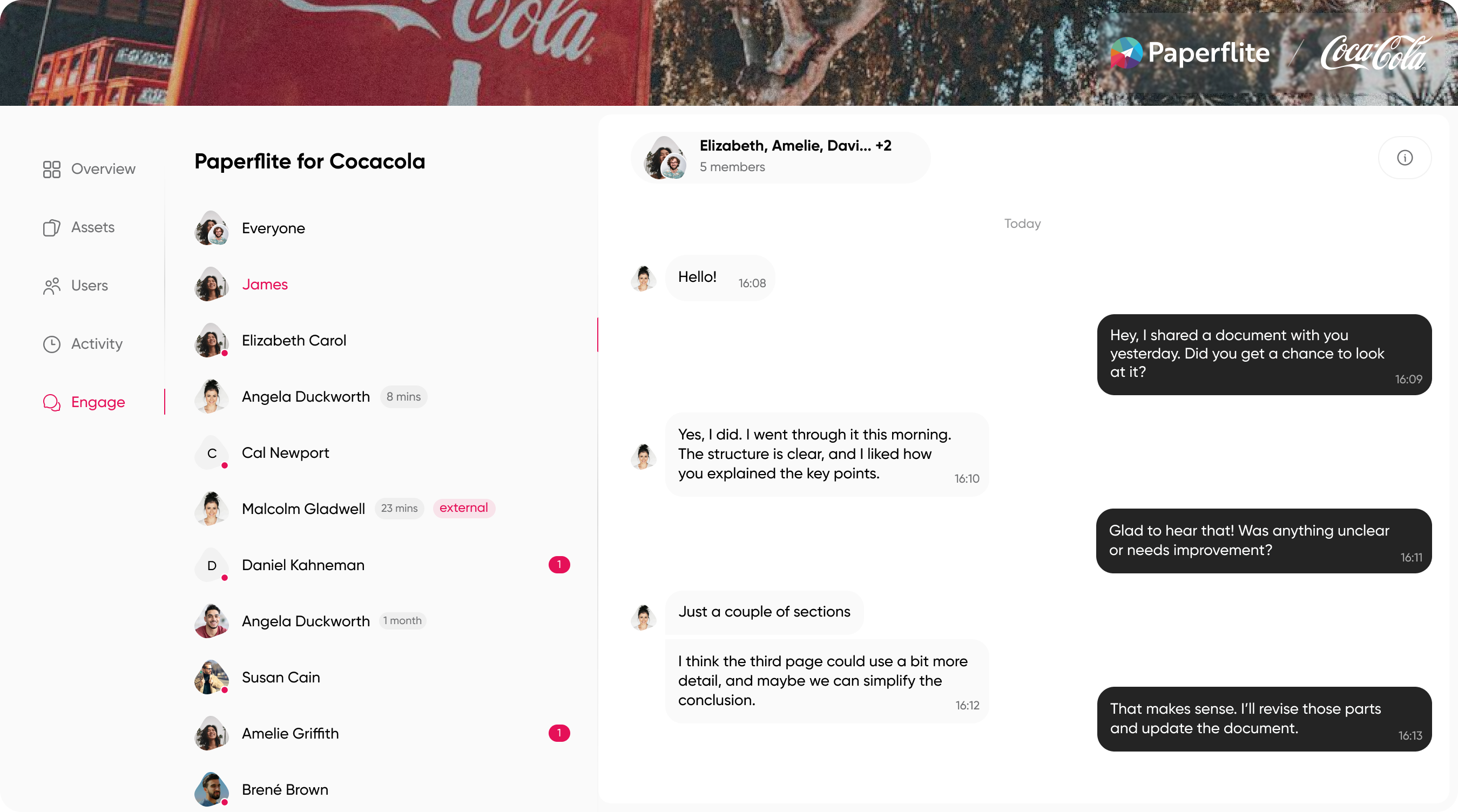
Not everyone should have edit access to a master asset. Role-based access controls ensure that only authorized team members (marketing leads, enablement managers) can push updates to the live library.
This is not about distrust. It is about preventing the single most common version control failure mode: someone quick-fixes a slide locally, saves their own copy, and forwards it to a prospect. That copy is now in the wild with no version tracking and no way to pull it back.
Role-based permissions mean field teams access only the content relevant to their segment, region, or deal stage. Regional teams see localized versions. Enterprise reps see enterprise-specific decks. The master stays clean.
Principle 4: Retire Content Systematically
Version management is not only about publishing updates. It is about removing old versions from circulation completely. The most common version control failure is not the one that happens right after an update. It is the one that happens six months later, when someone finds an old PDF in a Slack thread and sends it because it was easier to locate than the current version. Archiving prevents this. Set clear deprecation policies: assets older than a defined threshold, or assets that post-date a product change, trigger a review workflow with an owner, a deadline, and a decision point.
Principle 5: Track What Happens After You Share
"The best sales content management platforms do more than ensure the latest version is available. They track what happens after that version is shared: whether the buyer opened it, which pages held their attention, whether it was forwarded to a stakeholder. This engagement data tells you which version actually performed and which update may have changed performance in either direction."
Classic version control stops at the point of distribution. Intelligent content tracking goes further: did the prospect open the deck? Which page held their attention for three minutes? Did they forward it internally?
This matters for versioning because engagement data tells you which version of content actually performed. If a deck update drops open rates, you want to know that. If a new case study format resonates more with enterprise buyers, that insight should inform the next round of updates.
The version of an asset and its engagement story are the same conversation. Separating them leaves you managing files without understanding whether those files are doing any work.
Building a Content Version Workflow Your Team Will Actually Follow
Understanding the principles is one thing. Building a workflow that survives contact with a real team is another. Here is a four-step process that gives organizations a practical starting point.
Step 1: Audit What Exists Before Managing It
Most organizations skip the audit and go straight to the tool. The result is a centralized mess instead of a distributed one. Start by organizing your B2B marketing content, grouping assets by type, audience, and age to surface which files are duplicated, orphaned, or genuinely outdated.
The goal is to identify the source-of-truth asset for each content type before building any version workflow around it. A useful framing: semantic versioning. v1.0 is the original. v1.1 is a minor update (a stat refreshed, a slide added). v2.0 is a substantive revision (new positioning, new audience). This framework gives teams a shared language for describing how significant a change is.
Step 2: Assign Ownership
Every content asset needs a named owner. Not "whoever created it." Not "marketing, generally." A specific person whose job it is to know when that asset is stale and who has the authority to push an update.
Without ownership, content ages silently. Nobody notices when a case study is eighteen months old and references features that have since been renamed. Nobody flags when a competitor comparison needs updating after a market consolidation. The asset just keeps circulating until a rep uses it somewhere it very visibly does not fit.
Assign ownership at the content type level where possible. One person owns all competitive battlecards. Another owns all product overview decks. Review cadence is their responsibility, not a shared assumption that nobody acts on.
Step 3: Build an Update Cadence
Reactive content management (updating content when someone notices it is wrong) is too slow for most teams. By the time the error surfaces, it has usually already reached a buyer.
Proactive cadence means scheduling: quarterly reviews for evergreen content, triggered reviews whenever there is a product launch, pricing change, or positioning shift. These reviews are calendar-locked. They are not dependent on someone remembering to check.
The distinction between scheduled and triggered reviews matters. Evergreen content can wait for a quarter. Pricing sheets cannot. A content governance system that treats the quarterly review as the only review mechanism for fast-changing assets is already behind.
Step 4: Notify the Field Automatically
The moment an asset is updated, every user who accesses or has previously shared that asset should receive a notification. Good content hub operations makes this automatic — the update happens, the notification fires, and the rep sees the new version the next time they open the platform.
Relying on email broadcasts or Slack announcements to communicate version changes is how the old version stays in circulation for another six weeks. Those channels are noisy. Messages get buried. Reps who were out that week miss the update entirely.
Automated in-platform notification removes the human relay from the equation entirely.
How Paperflite Handles Content Version Management
Version management is a solved problem when you have the right system. The principles above are not theoretical: each one maps directly to something a good content management platform does automatically, without requiring your reps to think about it.
Paperflite was built for exactly this part of the sales motion: the gap between marketing creating content and reps using it consistently, accurately, and at the right moment.
One Hub, Always Current
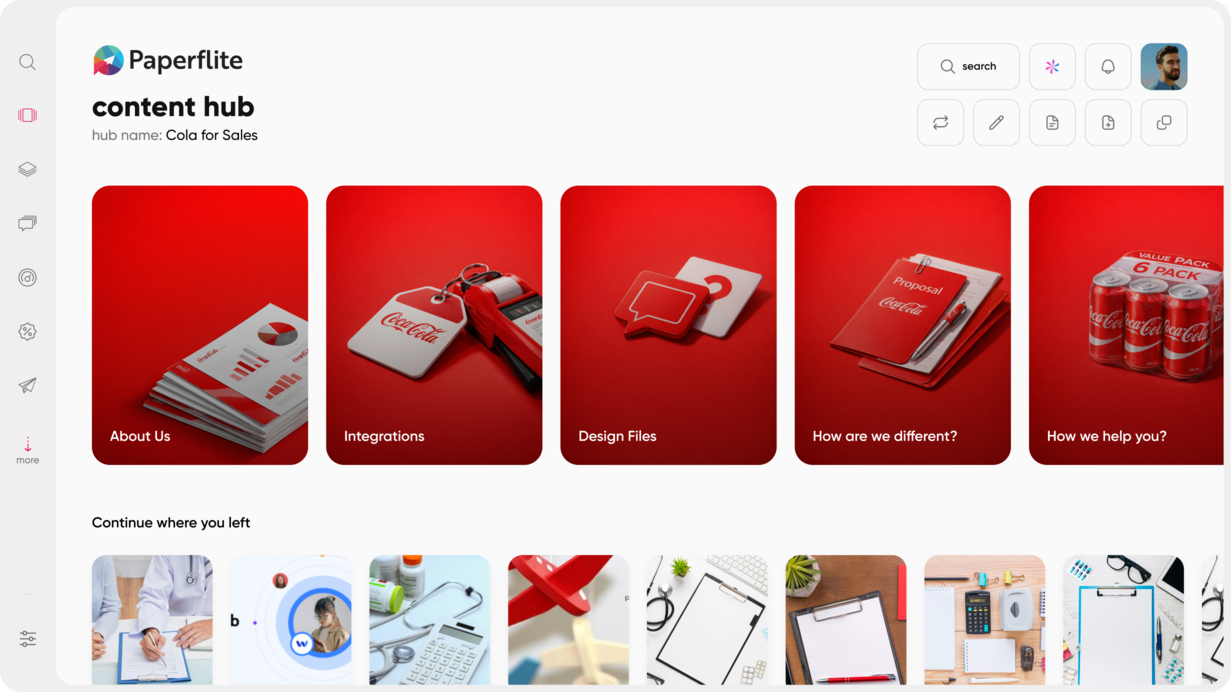
Paperflite's centralized content hub means every asset lives in one place and every user accessing the platform pulls from the same source. There are no local copies floating around with their own version histories.
When marketing updates an asset, every rep who has previously shared that asset sees the new version the next time they open it. The old version does not get a second life. It does not survive in a Slack attachment or a sent-items folder. The link that was shared updates automatically.
Auto-sync with existing storage platforms (SharePoint, Dropbox, Google Drive) means teams do not need to abandon their current tools to gain version control. Paperflite connects to where content already lives and keeps it current, automatically.
Live Tracking: Know When a Version Is in the Wild
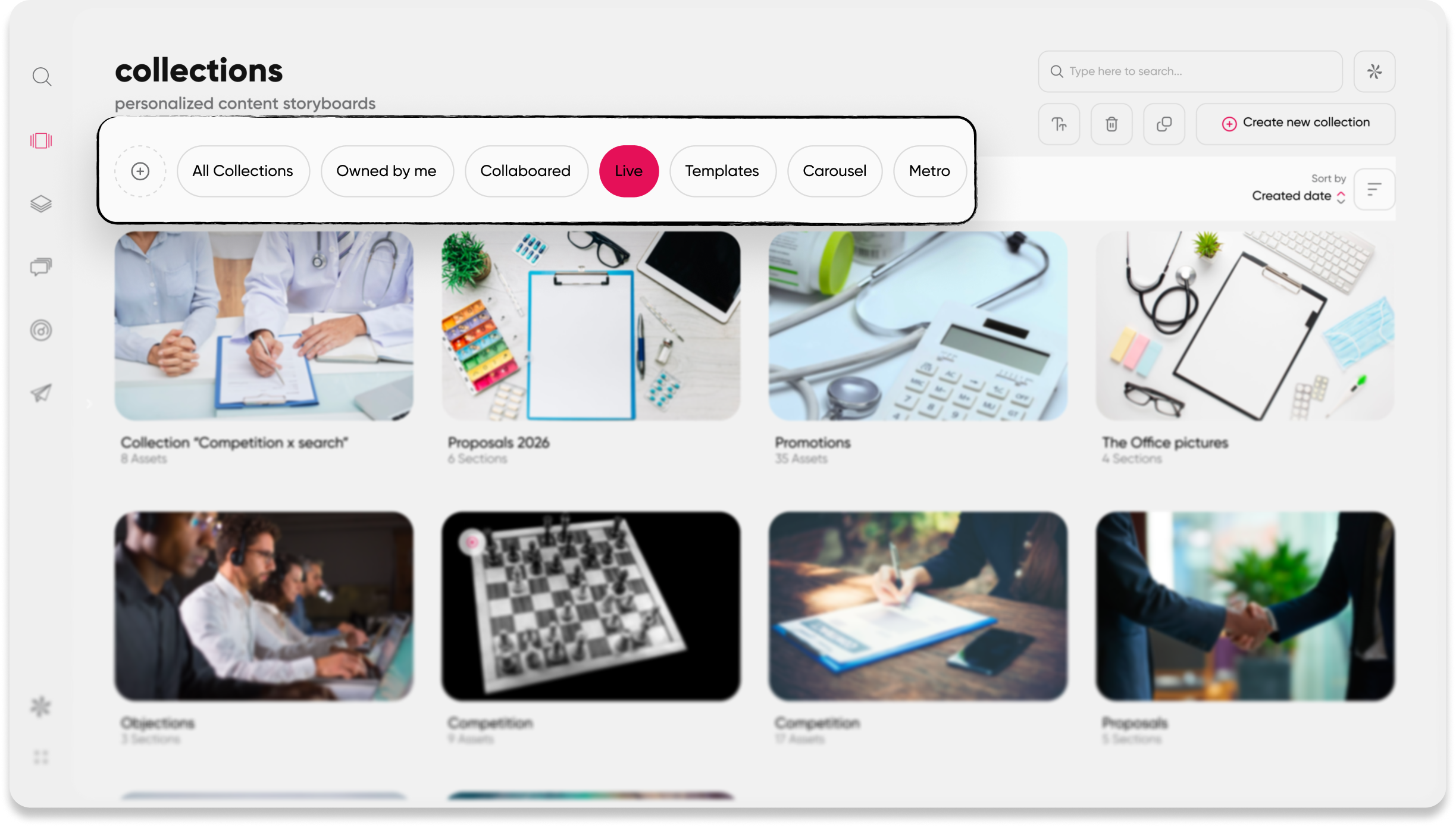
Paperflite's live tracking feature means every team member is notified in real time when a new version of a specific content asset is published. This is not an email digest from the previous week. It is a real-time alert: the deck was updated, here is what changed, here is where to find it.
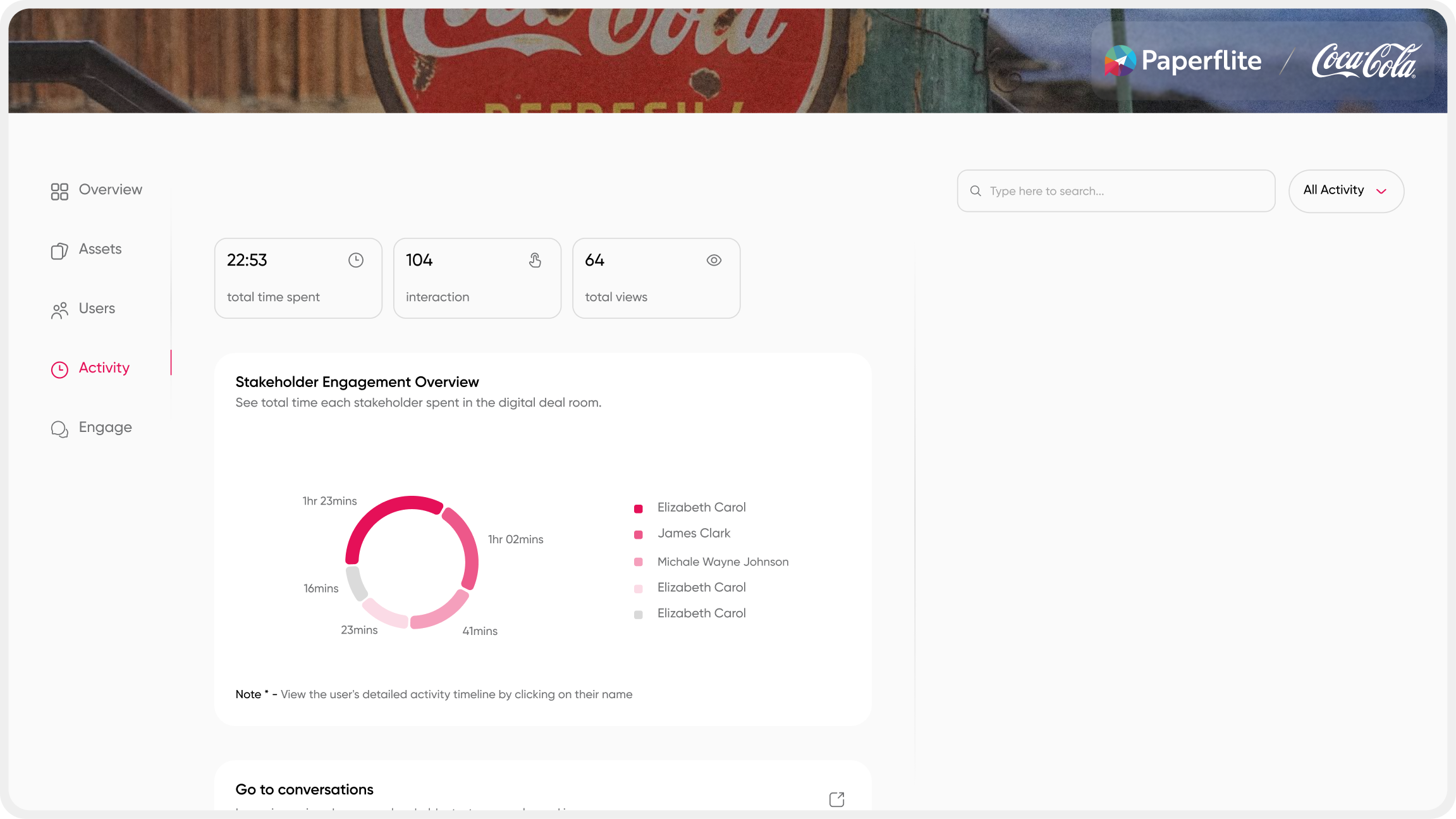
The same tracking extends to how prospects engage with shared content: open rates, time spent per page, re-shares. Marketing can see which version of a deck is resonating and which update changed performance in either direction. This closes the loop between content management and content intelligence.
Most platforms focused on file organization tell you nothing about what happened after the share. Paperflite treats the version of the asset and the engagement story of that version as connected data, because they are.
Role-Based Access That Protects the Master
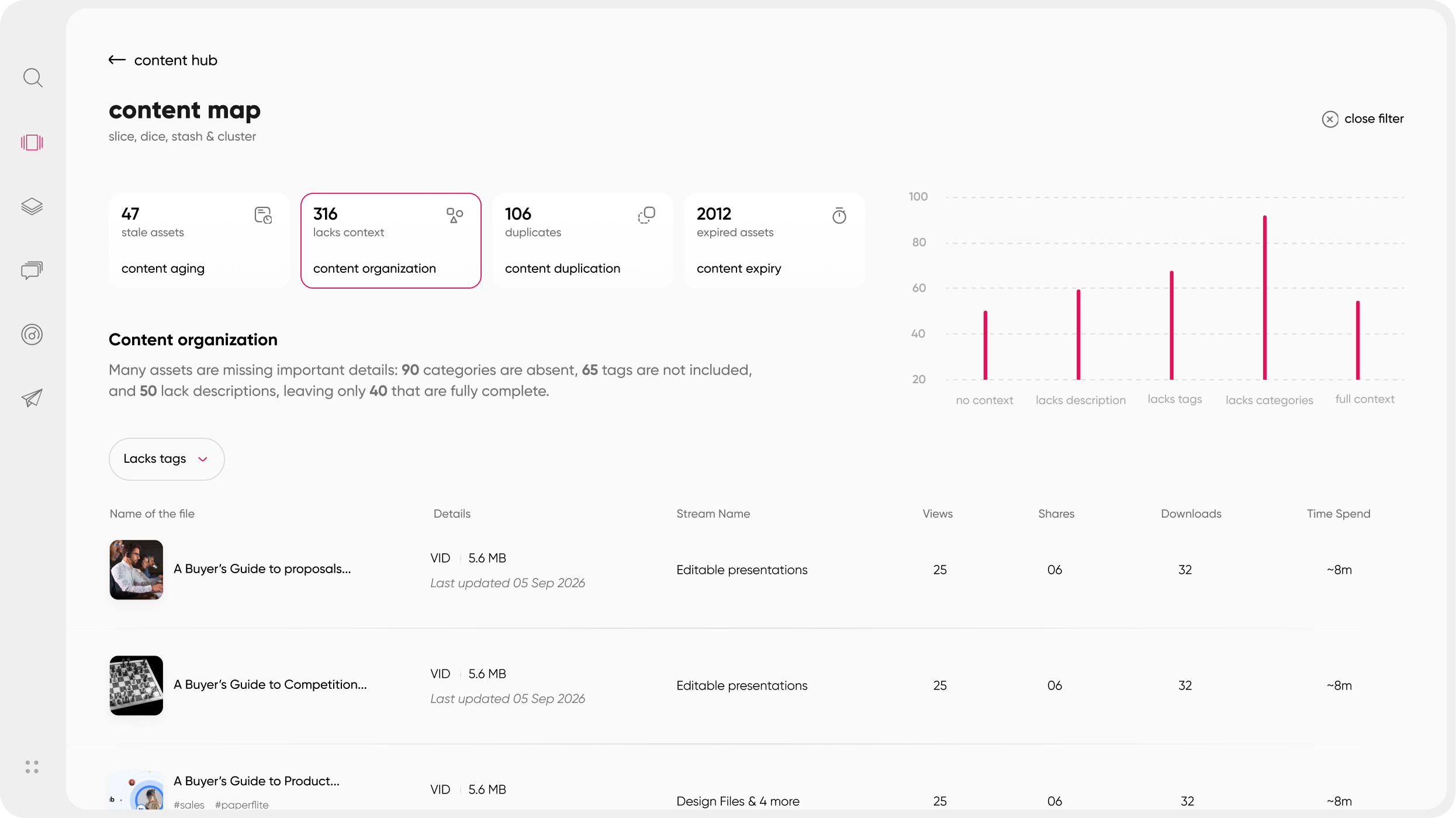
Marketing and enablement leads control what gets published and what gets retired. Reps work from the approved library. The separation is structural, not dependent on team discipline or awareness.
User permissions ensure that field teams access only the content relevant to their segment, region, or deal stage. A rep covering enterprise accounts does not see SMB-specific materials cluttering their view. A regional team sees localized versions.
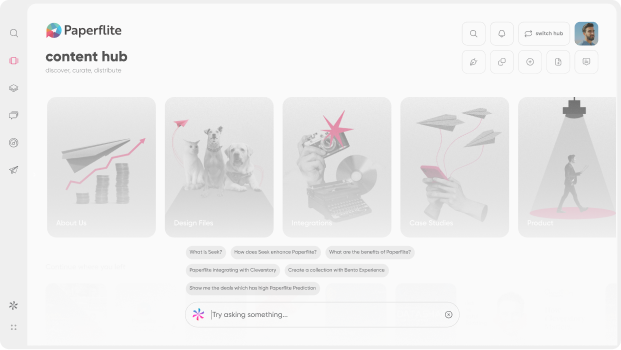
Combined with SEEK, Paperflite's LLM-powered search, reps find the right asset in seconds. SEEK handles content discovery at a completely different level: it queries across PDFs, presentations, videos, and embedded links to surface specific answers, not just file names. This removes the temptation to use a saved local copy because the approved version was "too hard to find."
What Paperflite Does Differently from Traditional Version Control Tools
What is the best way to manage content versions for sales teams?": The best approach combines a centralized content hub (link-based sharing, not download-based), push-based notifications when content changes, role-based access to protect the master, systematic retirement of outdated assets, and post-share engagement analytics. Paperflite handles all five automatically, without requiring reps to manually check for updates or remember to use the system.
Traditional version control (SharePoint versioning, file-naming conventions like "deck_v2_FINAL_revised") tells you what changed in a document. Paperflite tells you what happened after the document was shared.
The combination of version management and content intelligence analytics means teams can answer two questions in the same platform: "Is this the latest version?" and "Is this version working?" For sales and marketing teams, that is a meaningfully different conversation than IT-style version control.
Paperflite is also SOC 2 Type II certified. For organizations where security compliance is a gating factor on tool adoption, that matters.
Ready to see how Paperflite handles content versions across your entire library? Book a demo and we will walk through your current setup. [Book a Demo: paperflite.com/book-a-demo]
Choosing the Right Tool for Content Version Management
Not every version control problem needs the same solution. The right tool depends on what you are managing, who needs access, and what happens after content is shared.
What to Look for in a Content Version Management Platform
- Centralized repository: a single source of truth that all users access, not a sync between five different storage systems that gradually drift.
- Auto-update and push notifications: when marketing publishes a new version, the field knows immediately with no manual announcement required.
- Role-based permissions: marketing controls the master; sales accesses the approved library. Clear lines prevent unauthorized versions from entering circulation.
- Content retirement and archiving: outdated assets need a designated place that is not still searchable by anyone who knows where to look.
- Engagement analytics: version management without knowing what happens after sharing is only half the job.
- CRM integration: content management that lives outside the rep's workflow will not get used consistently. The right tool meets reps inside Salesforce, Gmail, or Outlook.
- Speed of deployment: enterprise platforms that take four to six months to implement create their own version of the problem, because nobody uses them with enough consistency to make version control real.
The Market Context Worth Knowing in 2026
The sales enablement platform market is currently in consolidation. Seismic and Highspot announced a merger in February 2026, with both platforms continuing to operate independently while the combined roadmap is confirmed. Showpad merged with Bigtincan in late 2025, combining content and coaching capabilities under a PE-backed entity.
For teams evaluating a new platform today, committing to a long-term enterprise contract with a platform in active post-merger integration carries real roadmap uncertainty. For mid-market and growth-stage teams, this creates an opening: platforms that deploy in days, not months, and offer transparent per-user pricing give teams a faster path to functional version control.
Paperflite's pricing is transparent and per-user: Starter at $30/user/month ($27.50 annually), Professional at $50 ($47.50 annually), and Advanced at $60 ($57 annually). Enterprise pricing is custom. All plans require a minimum of five users. A free trial is available with no credit card required. Full details at paperflite.com/pricing.
So, What Is the Best Way to Manage Content Versions?
Content version management is not a feature request. It is the difference between a sales team that sends the right asset at the right moment and a team that apologizes for the deck from last year.
The principles are not complicated: one home for all content, push-based updates, role-based access, systematic retirement, and the ability to track what happens after the share. What makes this hard is not understanding the principles. It is having a system that executes them automatically, at scale, without requiring reps to check a portal they will forget to open.
Paperflite handles all of it: a centralized hub, live tracking when new versions are published, AI-powered content discovery through SEEK, engagement analytics that close the loop between "did they see it" and "did it work," and pricing that scales with your team rather than against it. If you want to see how it works with your current setup, book a demo here.
Frequently Asked Questions
What is the best way to manage content versions for a sales team?
The most reliable approach is a centralized content hub where all assets live in one place, updates push automatically to all users, and role-based access prevents unauthorized versions from entering circulation. Pair this with real-time notifications when content changes and analytics on how shared content is being used. This removes version confusion without requiring reps to manually check for updates.
How is content versioning different from version control?
Version control (common in software development) tracks changes made to a file over time within a single platform. Content versioning in a sales context goes further: it governs which version each team member can access and share, ensures outdated versions are retired, and tracks what happens after content is sent to prospects. It is less about change history and more about ensuring the right version is always in the right hands.
What happens when a rep shares outdated content with a prospect?
The buyer receives inconsistent information, which erodes trust and can actively stall a deal. If a pricing sheet is incorrect, the rep either has to walk back a commitment or the prospect feels misled. Version management exists specifically to close this gap: when every shared asset comes from a centrally updated source, outdated content stops reaching buyers.
Do I need a dedicated platform, or will Google Drive work?
Google Drive and SharePoint handle storage and basic collaboration, but they have a fundamental version management gap: once a rep downloads a file, that copy exists independently of any future updates to the master. A sales content management platform solves this by keeping all sharing link-based rather than download-based, meaning the content a buyer sees always reflects the latest approved version, and reps are notified automatically when updates are published.
How does Paperflite handle content version management specifically?
Paperflite centralizes all content in a single hub that auto-syncs with SharePoint, Dropbox, and Google Drive. When a new version of an asset is published, team members are notified in real time. Role-based access ensures reps only see approved, current content for their segment. SEEK, Paperflite's LLM-powered search, makes the right version discoverable in seconds, so reps have no reason to rely on a saved local copy.
What is a single source of truth in content management?
A single source of truth means every version of every asset traces back to one authoritative location. When anyone on the team shares content, it comes from that source, not a downloaded copy, not a forwarded email, not a Slack thread from six months ago. The practical effect is that a content update propagates to every instance immediately, without the team manually redistributing a new file.
How often should sales content be reviewed for version updates?
Evergreen content (positioning documents, company overviews, capability decks) typically needs a structured quarterly review. Pricing sheets, competitive battlecards, and product-specific collateral should be reviewed at every product launch or pricing change, not on a calendar cycle. The best version management systems combine a scheduled review cadence with triggered reviews based on product or messaging events.
Is content version management the same as a CMS?
Not quite. A general CMS (like WordPress or Drupal) is primarily a publishing platform for web content. Content version management in the sales enablement context refers to controlling which version of a sales or marketing asset reaches a prospect and ensuring that the moment an asset is updated, the field is working from the new version. A sales content management platform is purpose-built for this workflow.